Require.ensure:
There are multiple ways to import code from a library or file into a javascript file. But they are not all the same
//  ------ Webpacker combines the imported code with the current code to make one giant file -----
require('./../../modules/checkout');  // old way

import React from 'react';  // new way

const FormPayments = require('@./../modules/app_payments/form_payments');  // hybrid way

//  ------ Webpacker compiles this to a separate file and only grabbed if needed-----
// conditional way
  require.ensure([], require => {
    require('./../helpers/user_journey');
  });
why:
- keep our code from getting bloated
- makes our plugins load faster
- saves company money
what:
- a function from webpacker to make sure code is only compiled and loaded if it is actually needed
- When you do imports and requires, webpacker puts ALL of that code into one GIANT file
- if you have code added using require.ensure, this is compiled into a separate smaller file and grabbed asynchronously, only if needed
when:
- when you need a function from a large library/ or file that isn't already imported into your current file
how:
- put the code that requires the external file inside the ensure block - you can only use it there.
where:
- exactly where you need it - inside the conditional check
- examples:
      if(isIE()) {
        // This is wrapped in require.ensure because we don't want to load this on /view ever.
        require.ensure([], require => {
          const initializePowrWysiwygTextArea = require('@/../modules/initializePowrWysiwygTextArea').default;
          initializePowrWysiwygTextArea(self);
        });
      }
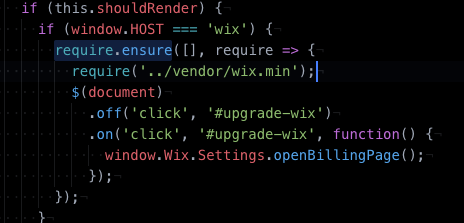
const renderUserJourney = () => {
  require.ensure([], require => {
    require('./../helpers/user_journey');
  });
};
who:
- YOU!
More information: https://webpack.js.org/api/module-methods/#requireensure