new how to test local staging alpha apps on shopify
[last update: April 13 2023 by [email protected]]
Steps from Yevgeniy’s video: https://drive.google.com/file/d/1pZbV49UAzrOrtw32CLz6uzIn3__XlbeI/view
Make a new user on POWR and get that user’s id then log out and re-login as an admin
Make a new developer (not for client) store on shopify through the support account
Now pick the app type and store you want to test:
Go to the app admin page > app setup in shopify for the test app (POWR Embedded Staging or other) and update the app type at the end of the app url:
- Then go back to the overview and click test app
- Select your store and install
It should install for you, but now we need to associate this with your new user so you can test different app types.
Your install will change your powr login to support, so we need to log out of pow-staging and log in as your admin account again.
Go to powr-staging.io/admin and scroll to the bottom to Make Affiliated Shopify Accounts
You should see a new line at the bottom with the app type you tested… paste your new user id in the field and click change. The line will disappear afterwards
Now go back to shopify and delete the app you created from your store. You can click on the settings icon in the lower left corner, and then you can uninstall the app from the Apps and Sales channel menu
Now you can repeat step 3 with a different app type, and delete again and repeat step 3 again for as many different app types as you need.
[last update: Jun 23 2022 by [email protected]]
- Go to https://www.shopify.com/partners
- Credentials on Last Pass
- Click on Stores
- Login in to your test shop
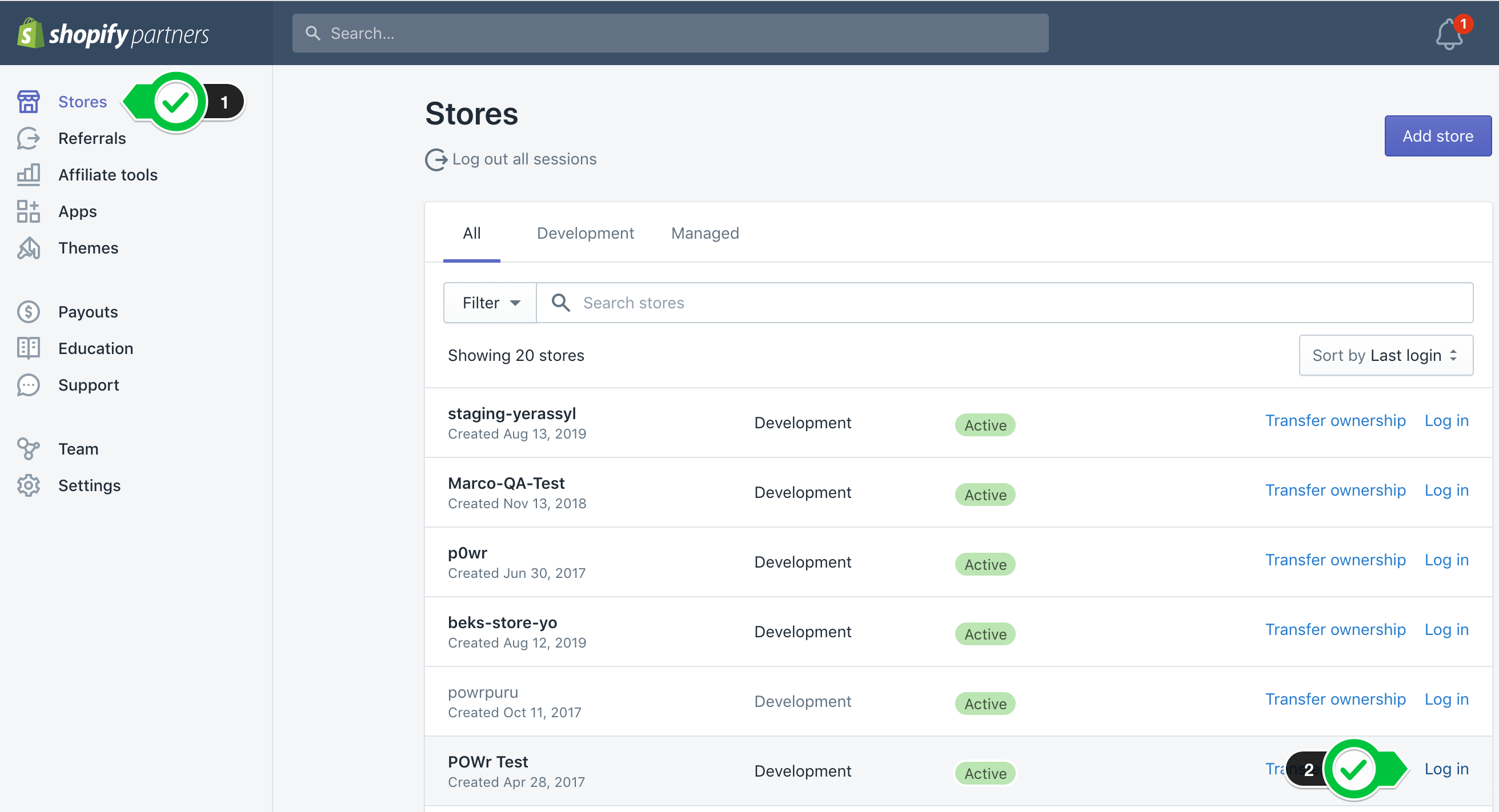
Development - POWr App New (Development)
Please add these to application.yml
QA_SHOPIFY_GRAPHQL_APP_ID: babfad1233a3e962021f2820720f1e87
QA_SHOPIFY_GRAPHQL_APP_SECRET: 50439ceb2b7542f2f423664e21e14e9d
https://localhost:3000/shopify/install/new/form-builder?shop=yourshop.myshopify.com
!!! If you haven't installed test app on shopify before or created a new store please follow this steps(for development env as well)
https://drive.google.com/file/d/1V_CAgujNs4ce-TrHBlO0hSpuuJTiNOhq/view
- login as a partner in https://wwww.shopify.com/partners
- after login access this link https://partners.shopify.com/200765/apps?page=1
- find and click on POWr Apps New (Development)
- now make sure in the left sidebar Overview is selected
- click the button Select store below, in the Test your App section
- search your store (must have been previously created) and click on it
- login using [email protected] (Credentials in Lastpass)
- if it ask you to disable transfer just say yes / ok
- after a while you should see an install screen with a green button Install Unlisted App
- click on the green button
- now you can use this link https://localhost:3000/shopify/install/new/product-reviews?shop=yourshop.myshopify.com replacing the word
yourshopwith the name of your shop. Also replaceproduct-reviewswith the app type you want to create.
if you're creating a Product Review App, make sure you create a product in the shop before clicking the green button Install Unlisted App
Alpha - POWr App (Staging)
https://powr-alpha.herokuapp.com/shopify/install/new/form-builder?shop=yourshop.myshopify.com
Staging - POWr App (Staging)
https://www.powr-staging.io/shopify/install/new/form-builder?shop=yourshop.myshopify.com
Note:- Please replace form-builder with any type of app slug you like to test, map, contact-form, countdown-timer. It should be slug, not namespace or anything, w/o dash (-). For Shopify: You dont need to play with Platform dev controls anymore.
Also please replace yourshop.myshopify.com with your shop url
BELOW IS NO LONGER WORKING (for Brent)
This worked for Praneeta:
Login as [email protected]
go to https://localhost:3000/plugins/form-builder/shopify_authenticate?shop=powr-test.myshopify.com