Usagebased pricing flow
Created at: Feb 11, 2021 Author: Yevgeniy Kurnossov In progress
Introduction
That doc describes the usage-based logic flow and some tricks or rabbit holes.
Usage-based pricing is the new pricing feature where we count not only paid features but the apps unique views/visits. In order to solve it we changed some part of the code and UI/UX side.
This A/B does not work on Wix and reseller marketplaces platform*
Link to logic schema - https://drive.google.com/file/d/13hupstdLY_aXazl3SBXwPJ1qyngtr7ll/view?usp=sharing
Run A/B
For making the new user and getting the proper usage-based behavior as on prod need to open an incognito browser and make sure there is no updating_pricng_page a/b because they are isolated a/b if there is no isolated pricing a/b you can force usage_based_pricing - usage_based through cookies. Only after that you can sign-up
Dashboard changes
If you create some apps you can see some dashboard changes also those changes depend on the user subscription type.
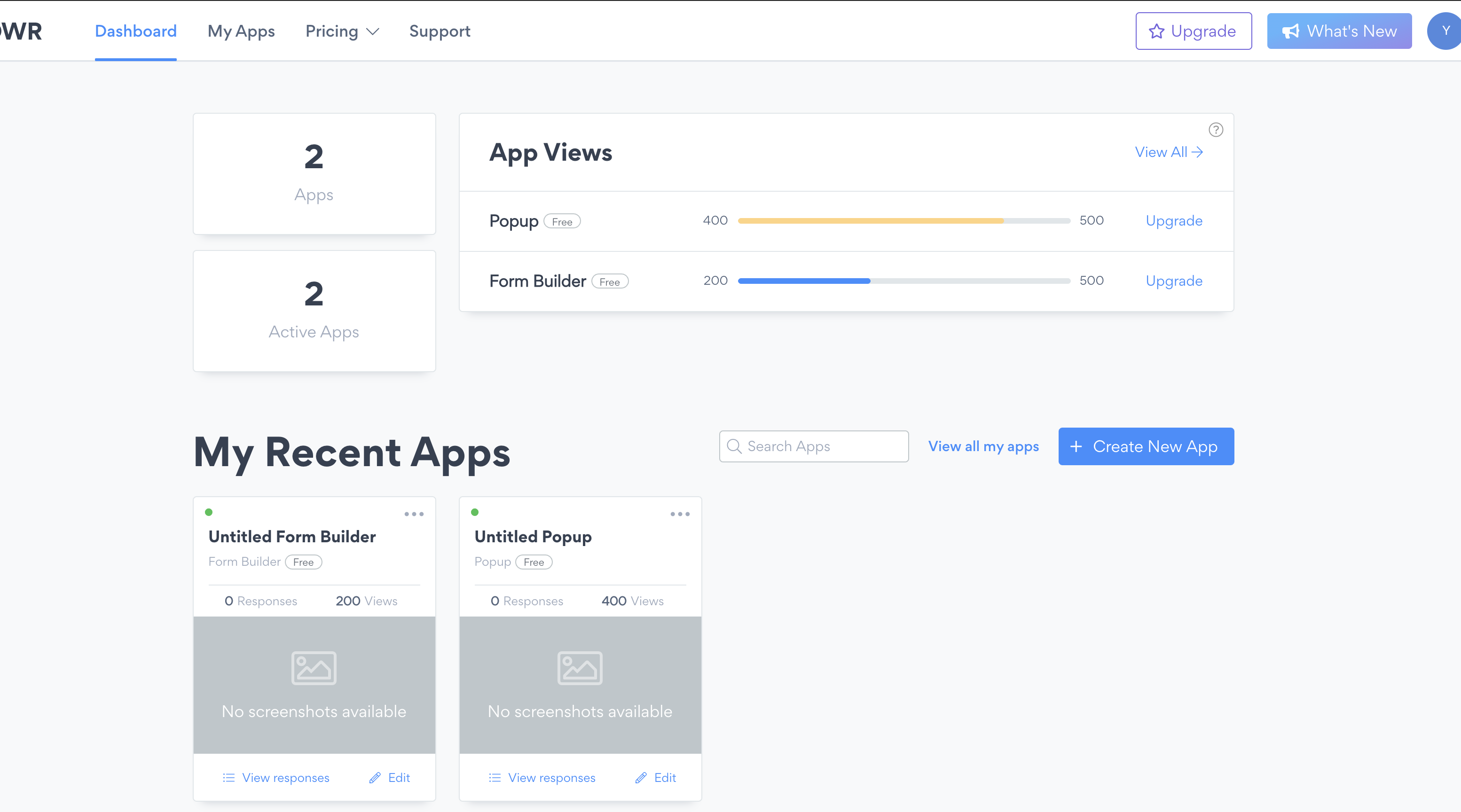 Not the enterprise users
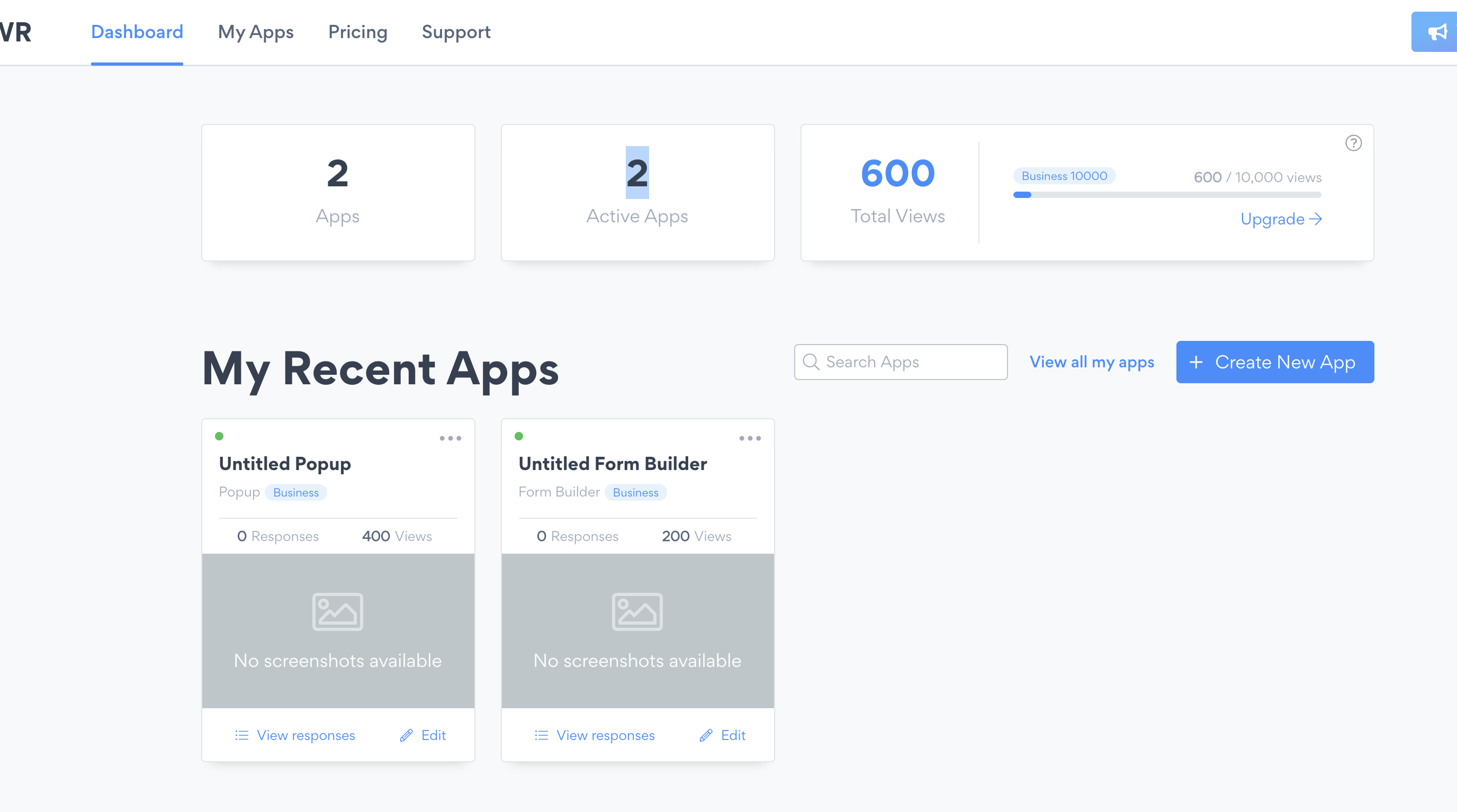 Enterprise Level 1-5
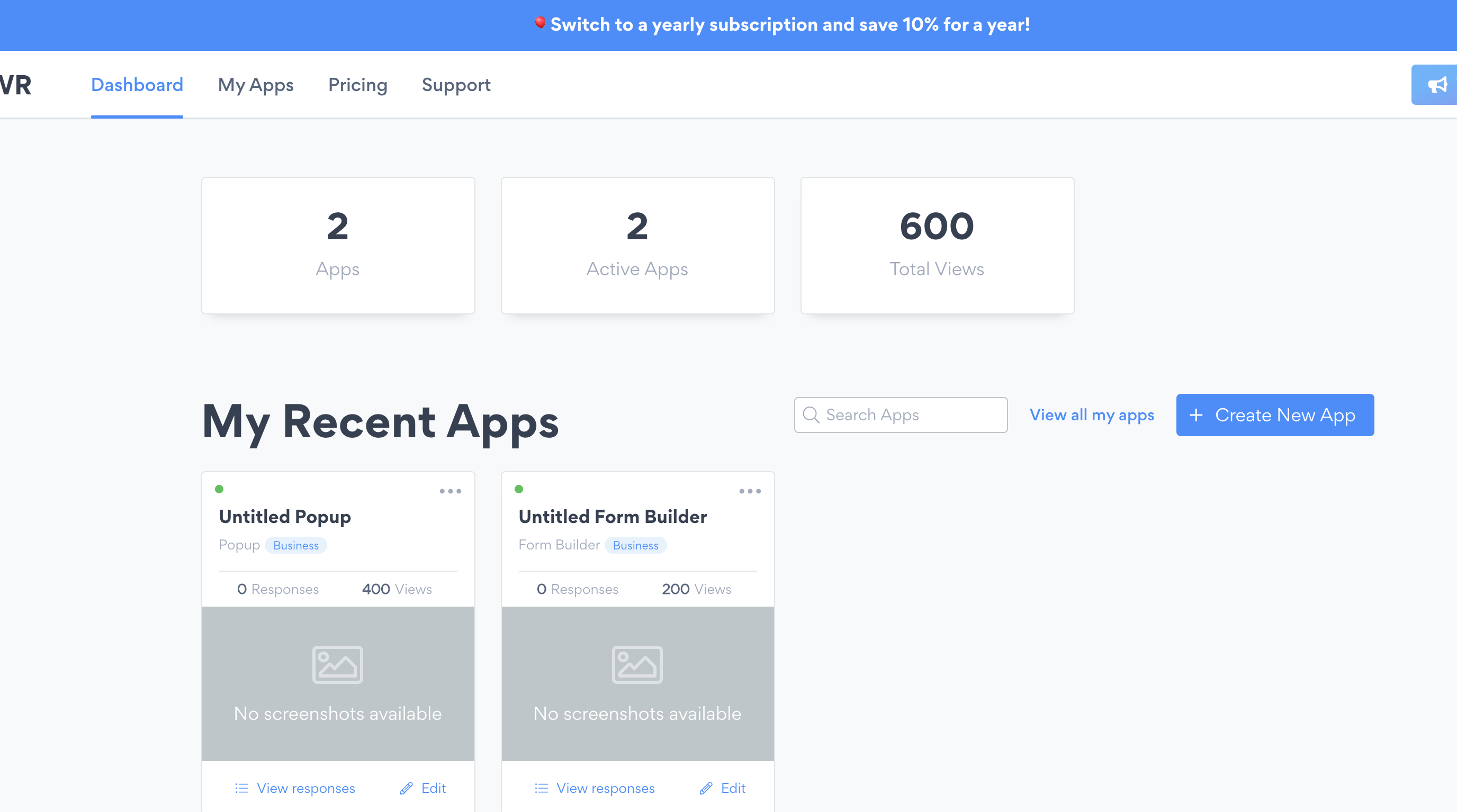 Enterprice Livel 6(Unlimited)
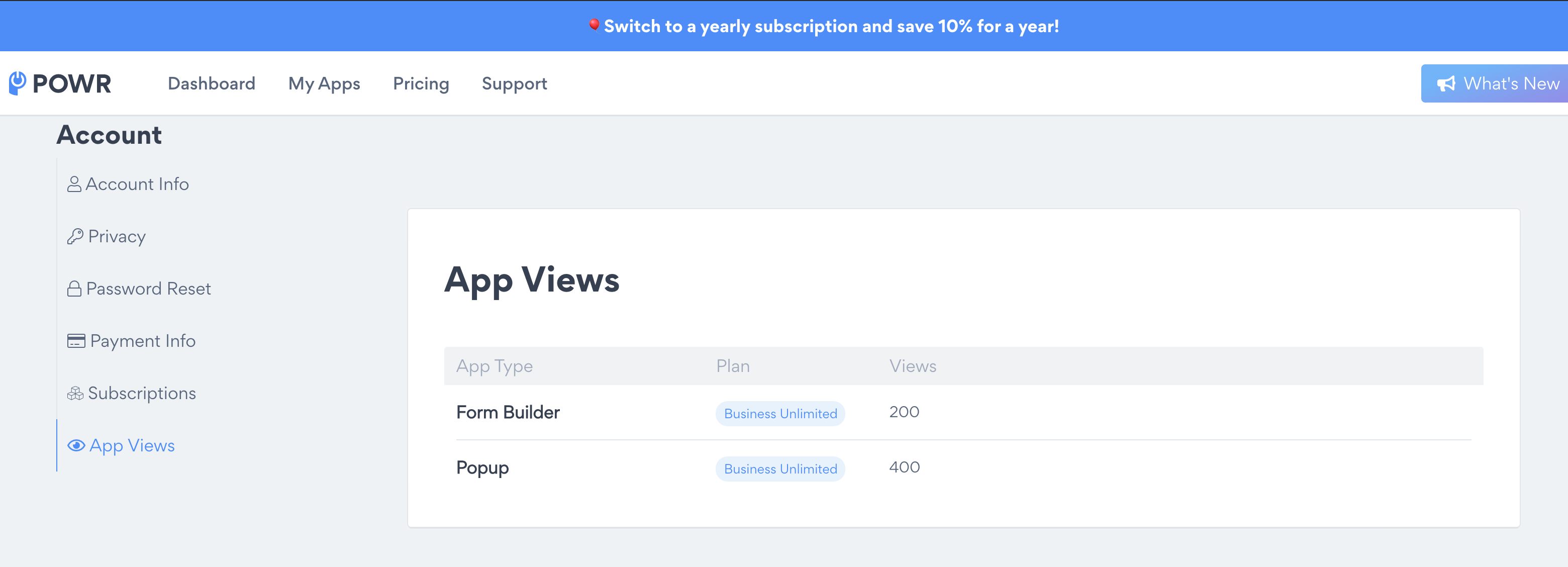
Also account page will get a new tab with all apps views
Pricing changes
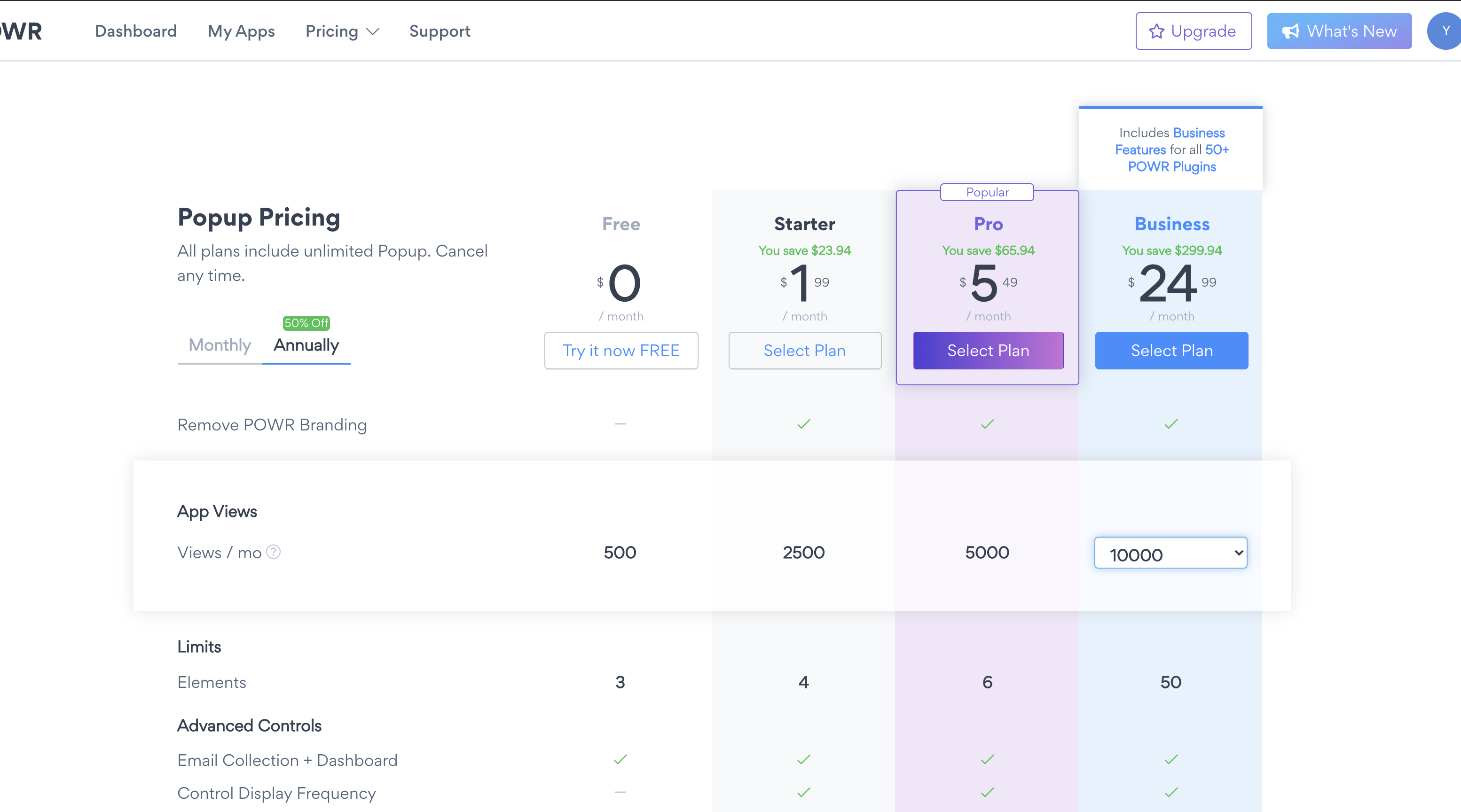
On the pricing table the new Enterprise plans will appear on the dropdown under the Business plan button
Prorated logic
Also on the checkout page you can see some changes regarding prorate logic
--Part from specs below-- Prorate the amount when they purchase subscription (like in Upsell unlimited) When upgrading to monthly - (x days left / 30) monthly plan price When upgrading to yearly - (((x days left till the end of first month / 30) monthly plan) + 11 monthly plans) - 10% yearly discount --end--
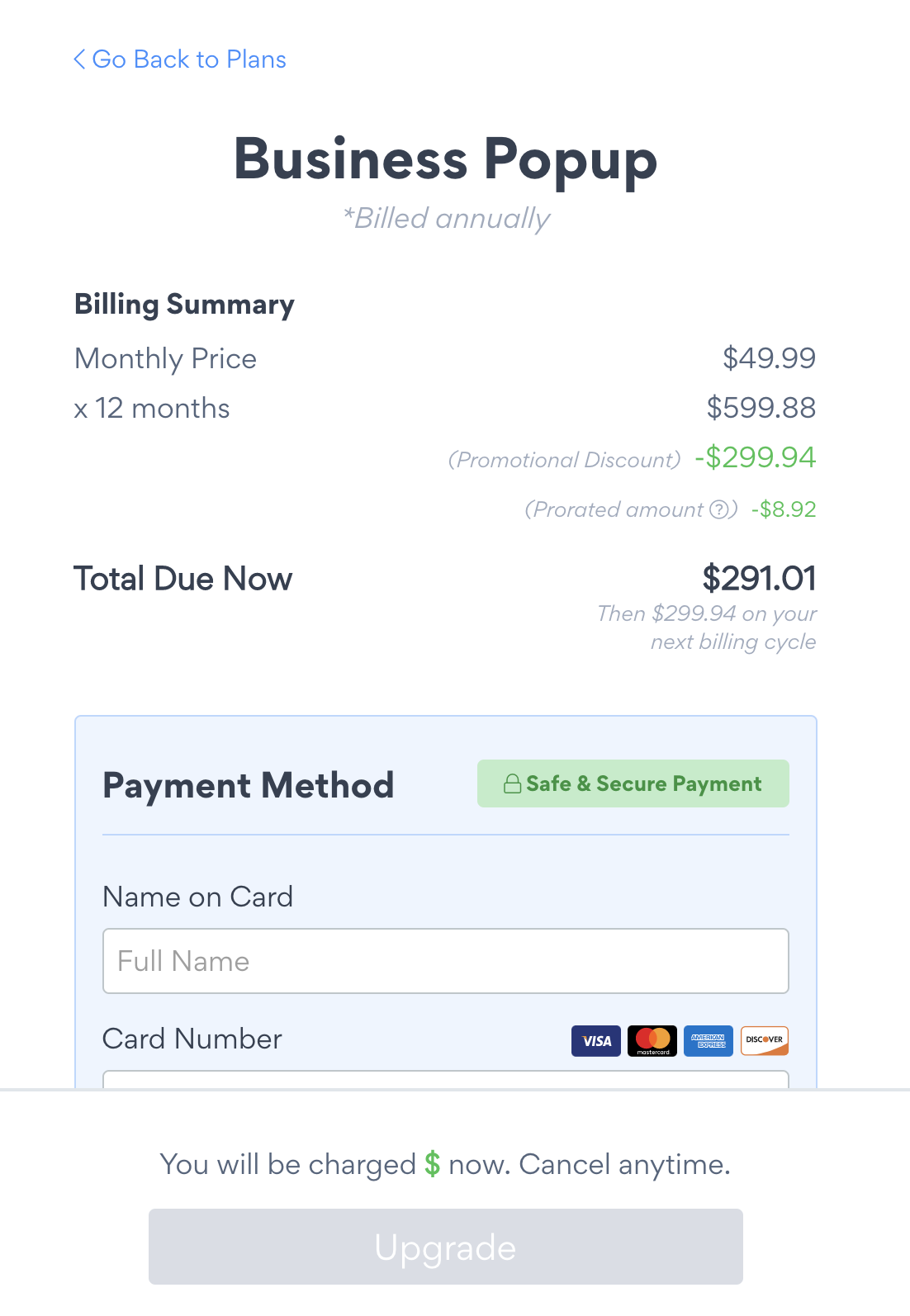 Prorate checkout pic
Modals and overlays
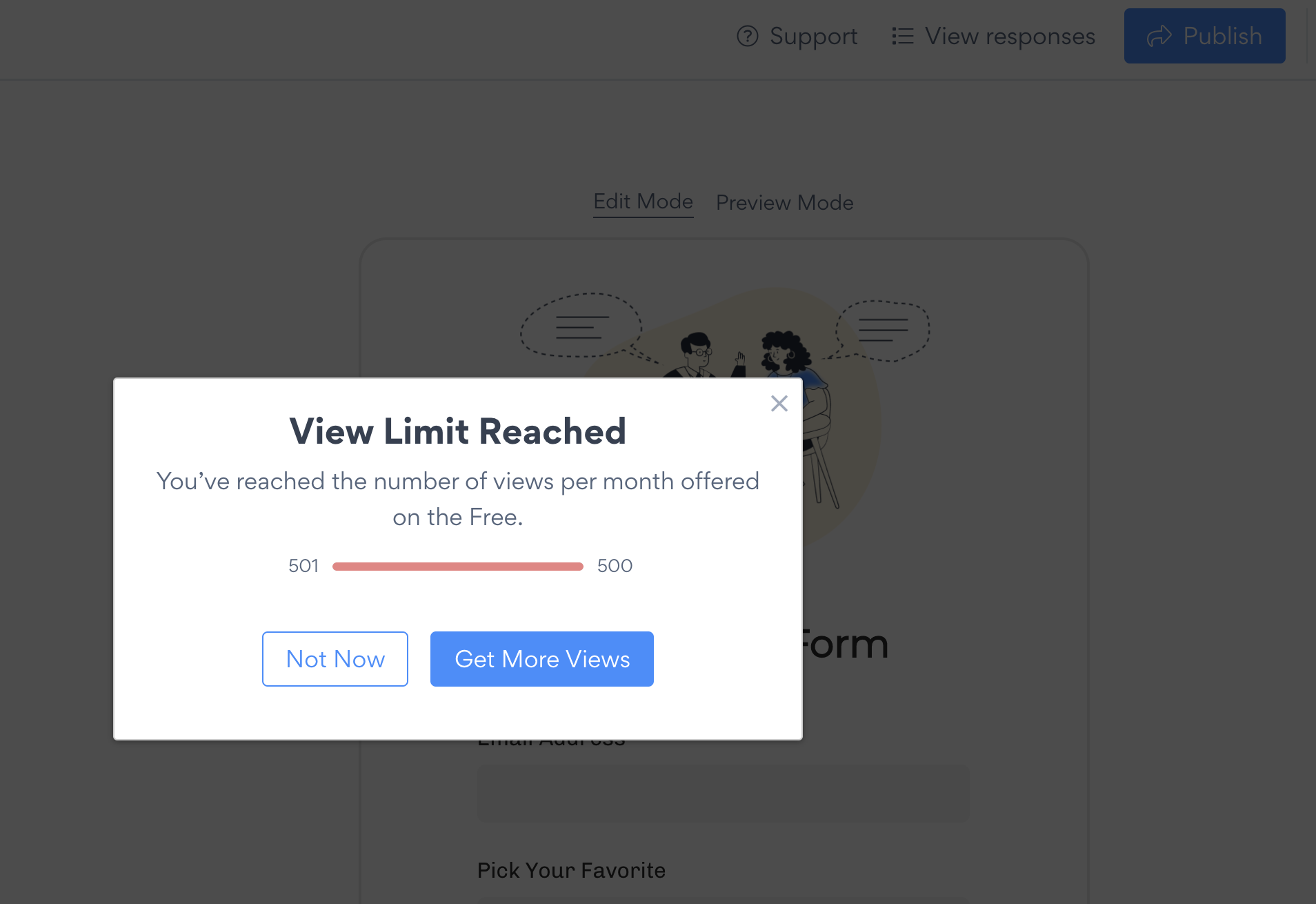
When limits reached the reached modal should appear on standalone
Also some overlay should appear on view mode
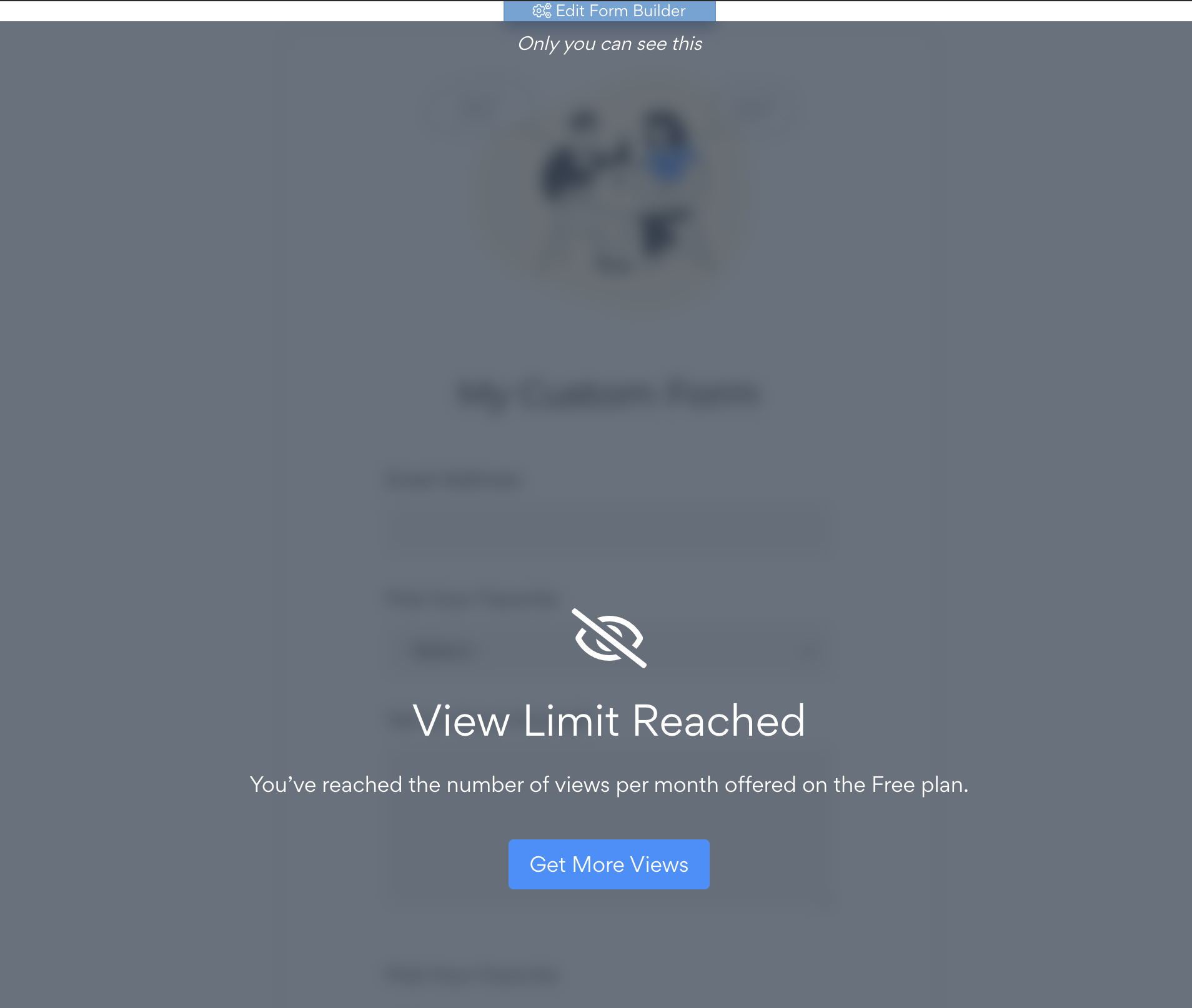
For the end-users apps should not appear
UsageBasedWorker
As you know the unique visitors' analytics store on powr-counter. For block/unblock users' apps the UsageBasedWorker was written and it is running every day by scheduling also it runs when users bought any upgrade. it is available here - app/workers/toggle_blockage_of_usage_based_user_apps_worker.rb
If you want to check users apps availability state look up on views_counts table
Helpers
All helpers methods here - app/helpers/usage_based_helper.rb
#usage-based #pricing
Troubleshooting
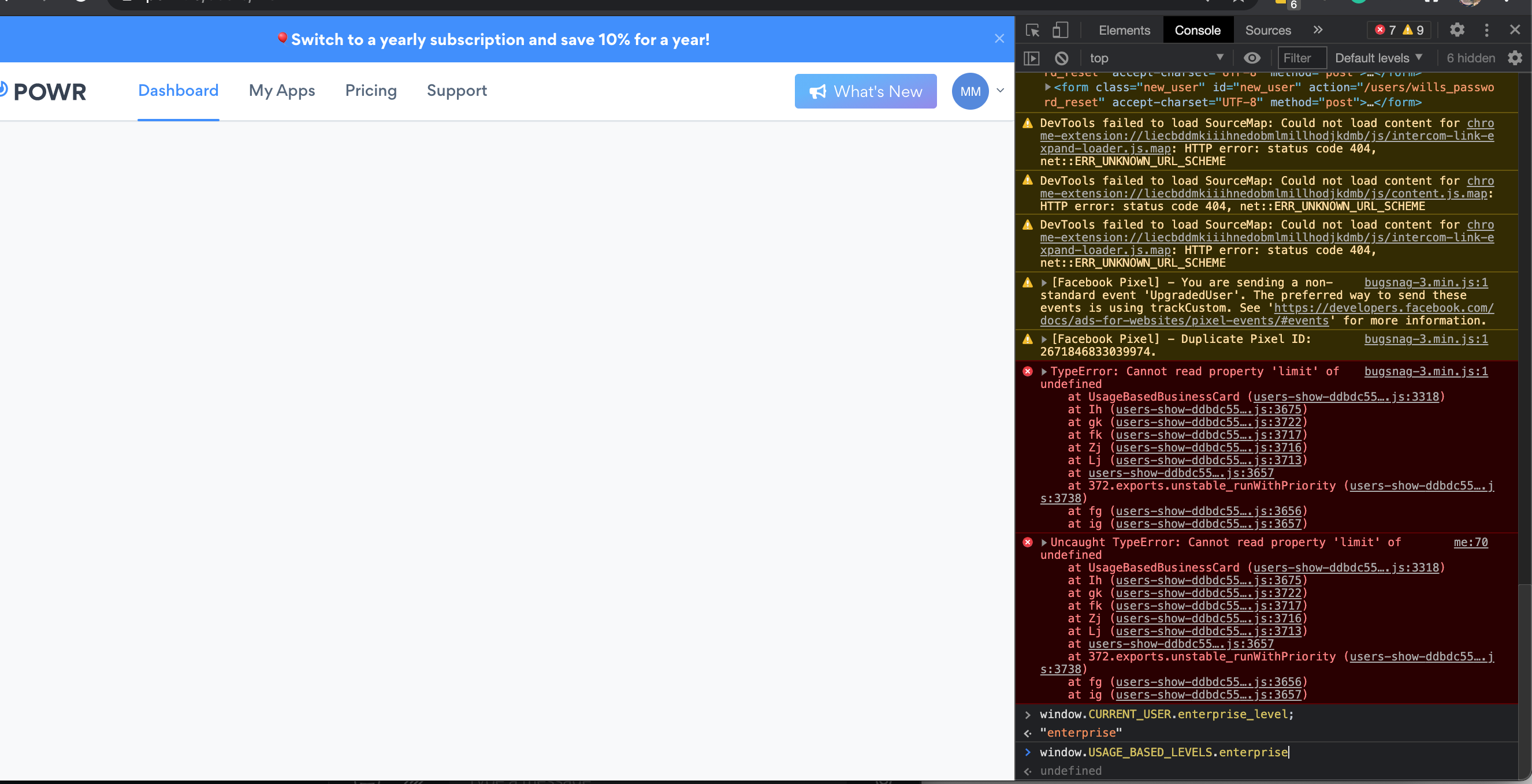
If the user dashboard has broken(pic 1) you need to check its user_info table with is_usage_based field. If it is not usage-based user It should be false.
pic 1
Usage-based disables apps incorrectly
Sometimes Shopify user is getting usage-based a/b even though it is not usage-based(fix in-progress) pic2. For fixing that you need to check by user_id user_info table with is_usage_based field. If it is not usage-based user It should be false. Also need to find all records by user_id in views_counts table and destroy them.
pic2