Testing Shopify, Weebly, and Wix Apps Locally
Testing forms ?
Then go here: https://powr.gitlab.io/docs/qa/285
For more detailed instructions, check out this doc: https://docs.google.com/presentation/d/1-LQRnycqsOZ7BleDmGZSkD4zNHVAVyu-pOxt6mPcUQs/edit#slide=id.g4128d85c06_0_51
Before
Before you being platform/app testing, please follow these instructions
- Go to http://www.powr-staging.io/admin/platform_dev_controls or https://localhost:3000/admin/platform_dev_controls
- Pick the platform and app you like to QA
- Note - POWr Dev is for development and "#{@platform}Staging" are for staging.
Shopify
Depecated, please follow this tutorials instead https://powr.gitlab.io/docs/qa/-new--how-to-test-local-staging-alpha-apps-on-shopify
Localhost:
- Log in at partners.shopify.com
- Click "Create Store" or log in to an existing store.
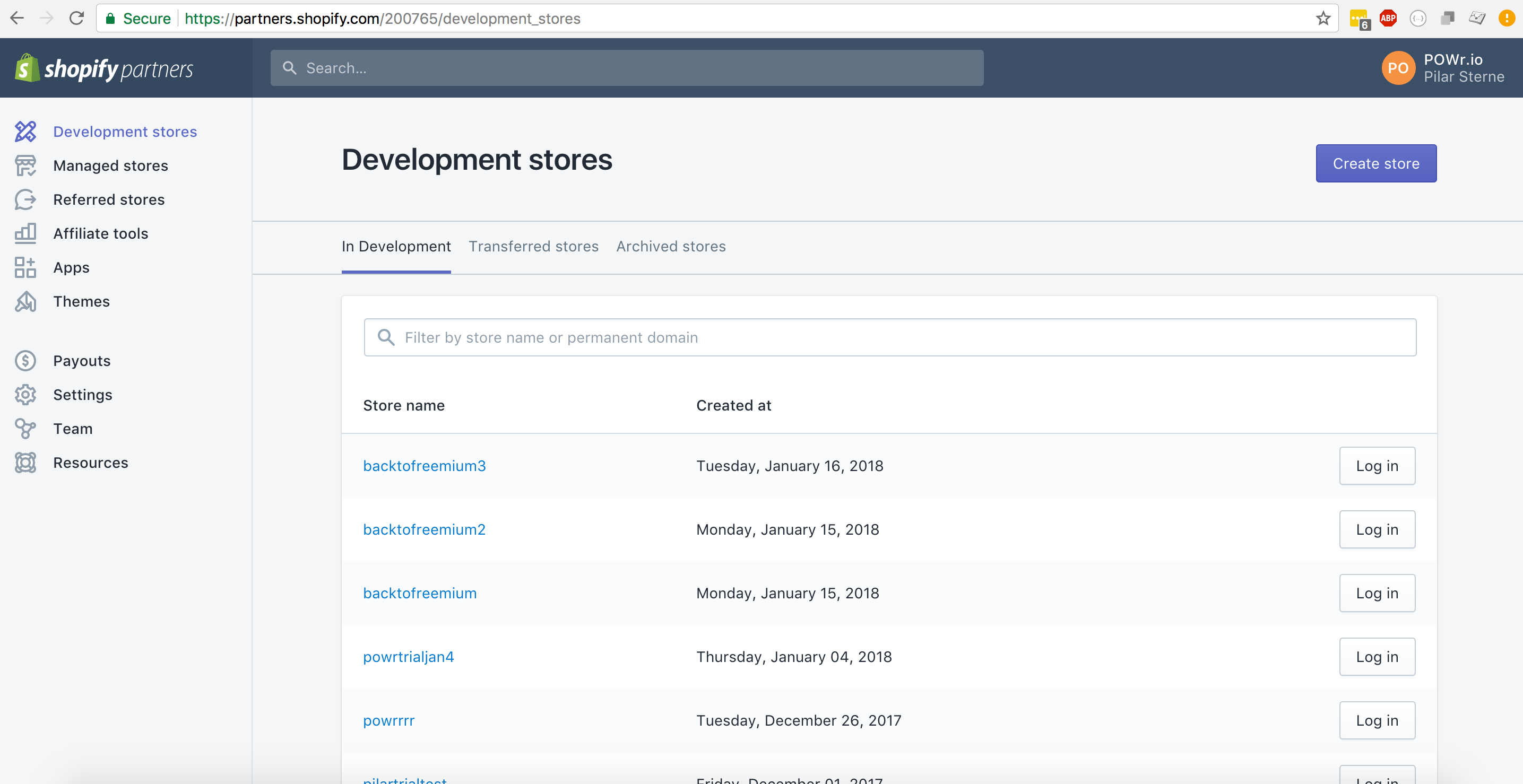
- If you're logging in to an existing store that already has "Local Dev" installed, go to Apps > Local Dev to test your app.
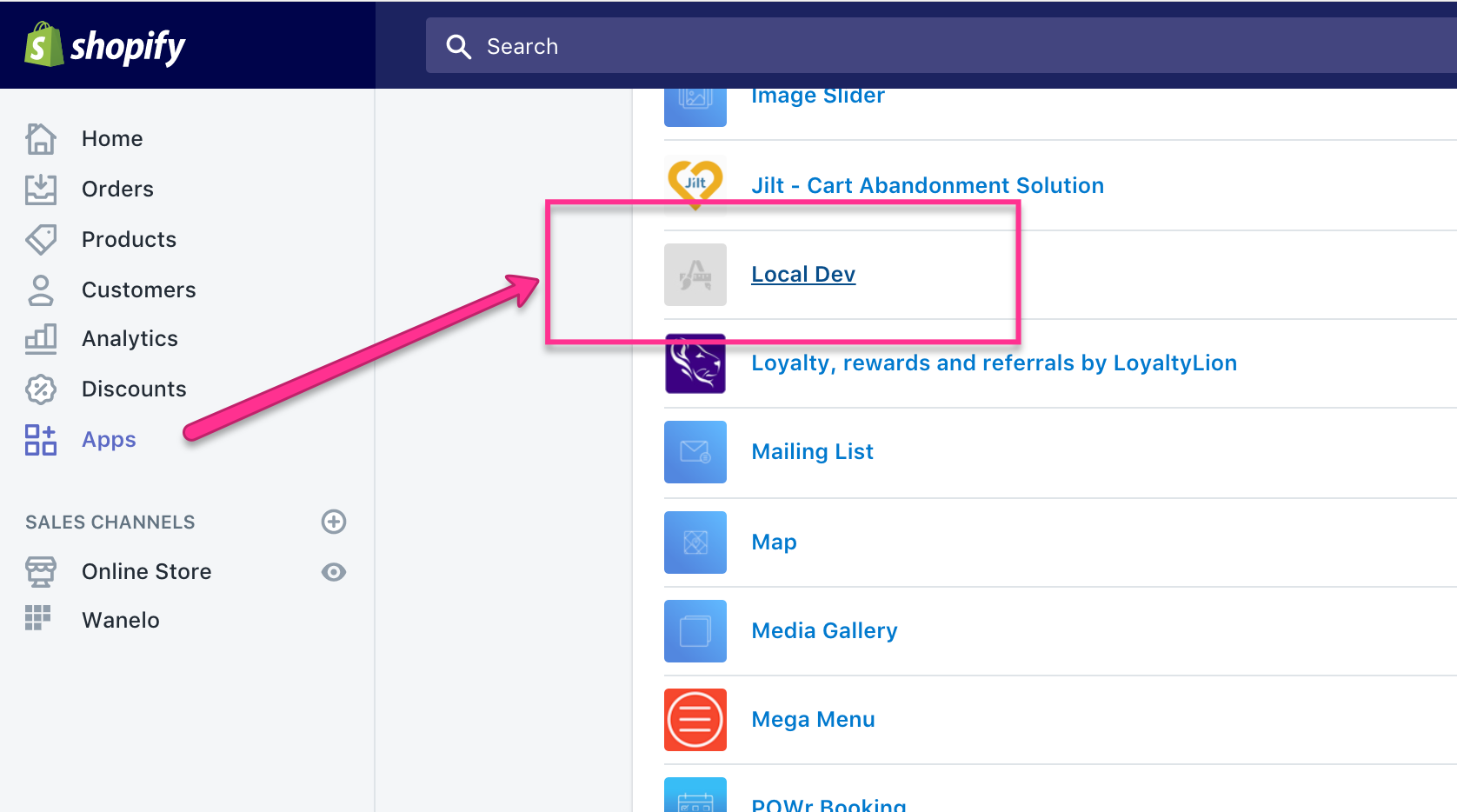
- If you're creating a new store, take the callback url and add a shop parameter to the end of it to add the local app to your site:
old: https://localhost:3000/plugins/shopify-staging/shopify_authenticate?shop=powr-test.myshopify.com
new: https://localhost:3000/plugins/app_type/shopify_authenticate?shop=powr-test.myshopify.com
Replace powr-test.myshopify.com at the end with your test store's URL.
Replace app_type with your app_type
POWr Staging:
Same steps, but with this url for adding a new app:
new: https://www.powr-staging.io/plugins/app_type/shopify_authenticate?shop=powr-test.myshopify.com
Replace powr-test.myshopify.com at the end with your test store's URL.
Replace app_type with your app type
Platform - Powr Staging
- Log in at partners.shopify.com
- Click "Create Store" or log in to an existing store.
- Install Powr Staging new app
- After installing it, go to https://powr-staging.io/shopify/install/new/hit-counter?shop=your-store.myshopify.com
and replace
shop=your-store.myshopify.comwith your test store's URL. You should be redirected to Platform
Platform - Powr Development
- Log in at partners.shopify.com
- Click "Create Store" or log in to an existing store.
- Install Powr Apps New (Development) app
- After installing it, go to https://localhost:3000/shopify/install/new/hit-counter?shop=your-store.myshopify.com
and replace
shop=your-store.myshopify.comwith your test store's URL. You should be redirected to Platform
Notes: If you are reading this before November 15, 2022, follow next steps to make it work locally - if not, ignore it.
Go to app/controllers/shopify_controller.rb:205 and update installation date
if params[:app_type] == "hitCounter" && installed > Date.parse("2022-09-30")
Wix
Make sure u have this env key
# development.yml.enc
  wix_app_secrets_wixLocal:  95d58c3c-0875-4048-96e8-5a425de4a5c9

# staging.yml.enc
  wix_app_secrets_wixStaging: TODO: add key here
  wix_app_secrets_wixReview: 33f126b1-e9c4-4e7e-9e5b-219ca25f8f9a
Localhost:
- Go to https://localhost:3000/admin/wix_dev_controls
- Choose the app type you want to test from the dropdown
- Go to dev.wix.com and sign in with [email protected] (login credentials in LastPass)
- Select My Apps and look for app name Local Dev
- Click on it and find Test your App > inside, then follow installation process
Note: If the app doesn't load for you, try restarting your server.
Review app
Same steps as for Localhost, except app name is Review app
Staging (old):
- Go to dev.wix.com and sign in with [email protected] (login credentials in LastPass)
- Select My Apps and look for WixStaging (All Apps)
- Click Test App > In Editor
- It should let you select a page where you can then add the local app and test it.
Note: Only Form Builder is currently configured to be tested on Wix staging. If there is no WixStaging(All Apps) - here is a direct link - https://dev.wix.com/apps/12fdeedf-f2f0-9bb2-1fc6-451422d54511/home
Staging (new 07.07.2022):
- Go to https://powr-alpha.herokuapp.com/admin/platform_dev_controls
- Choose the app type you want to test from the dropdown
- Go to dev.wix.com and sign in with [email protected] (login credentials in LastPass)
- Select My Apps and look for ALPHA(All Apps)
- Click Test App > In Editor
- It should let you select a page where you can then add the local app and test it.
So how does alpha(staging) integration work? If something wrong you and you want to quick fix it
- When you create a new app in dev.wix.com, the created app provides you its App ID and App Secret Key which are being used in lib/wix.rb and being configured primarily from staging.yml.enc with such keys:
wix_app_id_wixStaging
wix_app_secrets_wixStaging
and secondary from config/environments/staging.rb via assigning the values for keys written above from other ENVs (needs to be cleaned? why values are being taken from QA_WIX_APP* envs?). Make sure that values for the keys are those from your Wix App (in our case its ALPHA (All Apps))
Configuration on dev.wix.com In our ALPHA (All Apps) app, click Components menu in the Dashboard section. You should see a component named ALPHA (App Apps) by clicking edit on it and scrolling down after edit window renders, at Widget Endpoints section, the endpoints should be provided. In our case the endpoints are
Component URL: https://powr-alpha.herokuapp.com/plugins/wix-staging/wix_view
Mobile URL: same as component url
App Settings URL: https://powr-alpha.herokuapp.com/plugins/wix-staging/wix_settings
note: as we use context of all apps, endpoints should be such
Weebly
If you need to see your view while you test - use https://localhost:3000/localdemo/weebly else,
- Go to
 https://localhost:3000/admin/platform_dev_controls
 or
 https://www.powr-staging.io/admin/platform_dev_controls

- Choose the app you like to test. We have two different types of apps on weebly.
- Weebly (all except chat, notificationBar, popup)
- Weebly Backend (only chat, notificationBar, popup)
- Log in to https://dev.weebly.com
POWr Local / POWr Staging
- Click on the app
- Install to Site
Please make sure these apps will take you to Weebly Editor, where you can drag and drop the app.
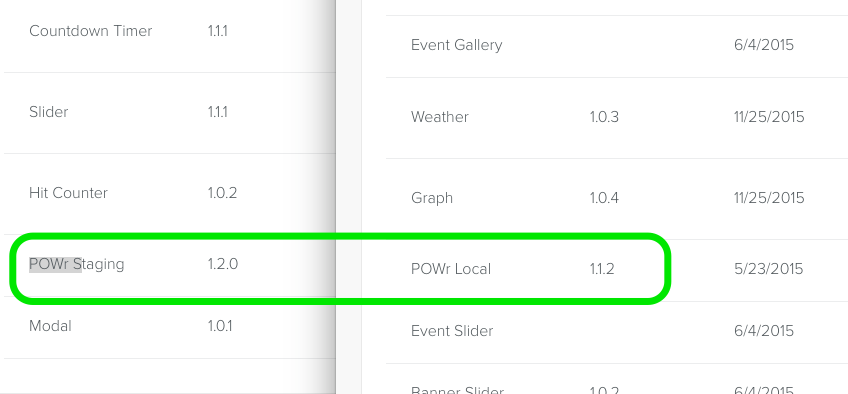
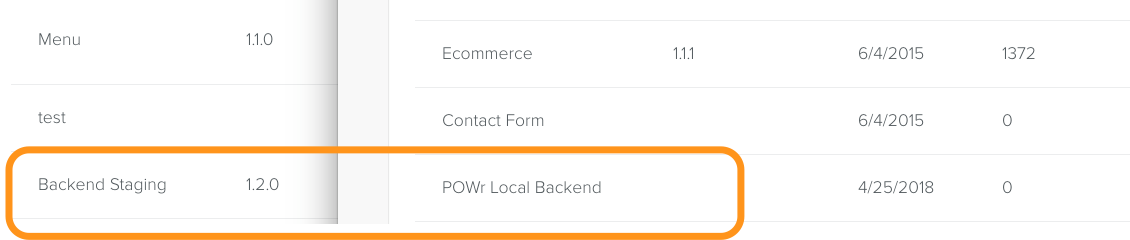
POWr Local Backend / Staging Backend
https://www.weebly.com/developer-admin/application/174951513
- Click on the app
- Install to Site
Please make sure these apps will take you to POWr Editor (Standalone) and after you save the app, they appear on the site you have installed.
Bigcommerce
POWR Local
Make sure you have this key in your application.yml file:
bigcommerce_app_secrets_bigcommerceLocal
If you don't, please access this link https://devtools.bigcommerce.com/my/apps with [email protected], using lastpass credentials.
Click at draft tab and search for Local Dev App, you will be able to copy the key by clicking at view client ID and paste it on application.yml.
After this, be sure to restart your rails server.
Ensure you have selected app on https://localhost:3000/admin/platform_dev_controls?platform=bigcommerce&app_type=socialFeed
INSTALL Link for LOCAL https://store-7wvhu.mybigcommerce.com/manage/marketplace/apps/19437
for STAGING https://store-7wvhu.mybigcommerce.com/manage/marketplace/apps/12807
PowrPack STAGING - Platform https://store-7wvhu.mybigcommerce.com/manage/marketplace/apps/42526
NOTE: the "store-xxxxx" in the above links can be changed for any store in the account. You can also create a new free trial store under [email protected] account and the above links should work.
DEV Management to manage the app listings (eg oauth callbacks, permissions, marketing materials): https://devtools.bigcommerce.com/my/apps