Hubspot blog changing the template and styles
- Log in to Hubspot using Ben’s credentials in LastPass here → https://app.hubspot.com/login. Select the POWr Marketing account.
- Then navigate to Marketing → Files and Templates → Design Tools.
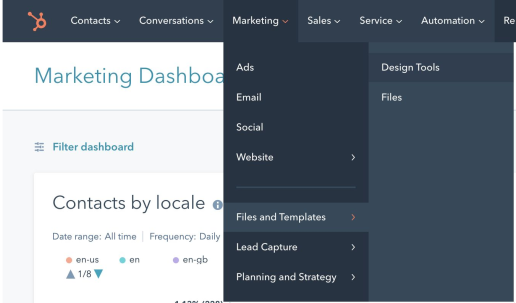
On the left side you will find all the files and templates.
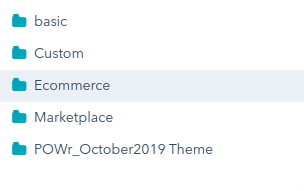 The blog template file is located in POWr_October2019 Theme → Blog directory.
CSS and JavaScript files are located in POWr_October2019 Theme → Coded Files directory.
3. Make a copy of files to work instead of updating the original.
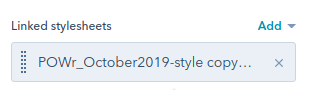
4. To add CSS file to the blog template use “linked stylesheet” field on the right side of the blog template file.
The blog template file is located in POWr_October2019 Theme → Blog directory.
CSS and JavaScript files are located in POWr_October2019 Theme → Coded Files directory.
3. Make a copy of files to work instead of updating the original.
4. To add CSS file to the blog template use “linked stylesheet” field on the right side of the blog template file.
 After changing the styles, click the "Publish changes" button in the CSS file to add them to the blog template.
To see your local changes in the blog template press “Preview” button.
5. Finally you add your changes to original files. Then press the “Publish changes” button to publish to the production environment.
https://www.loom.com/share/b621b659f01a4d39a77eebb7ae908dd3
After changing the styles, click the "Publish changes" button in the CSS file to add them to the blog template.
To see your local changes in the blog template press “Preview” button.
5. Finally you add your changes to original files. Then press the “Publish changes” button to publish to the production environment.
https://www.loom.com/share/b621b659f01a4d39a77eebb7ae908dd3