How to initialize on Static Project
To be able to clone the private repository from Gitlab, you first need to find your SSH key.
Use the below command on your terminal, and copy the string to your clipboard:
$ cat ~/.ssh/id_rsa.pub
Login to your account on https://gitlab.com/users/sign_in
On User Settings you can find the SSH Keys on the left sidebar:
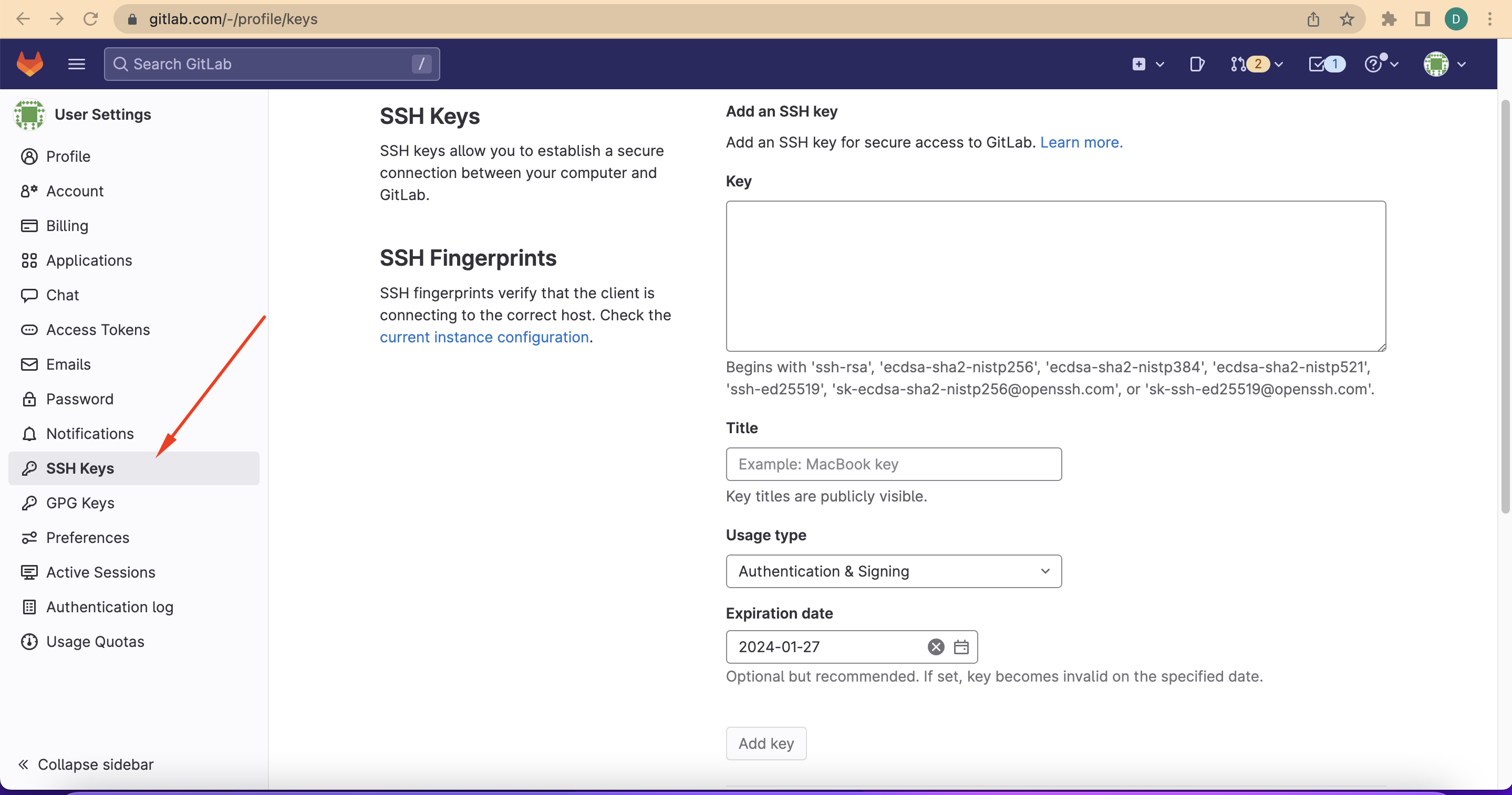
Then paste your SSH key, create a name, provide an expiration date and click “Add key”.
You can test your connection with gitlab by the following command:
$ ssh -T [email protected]
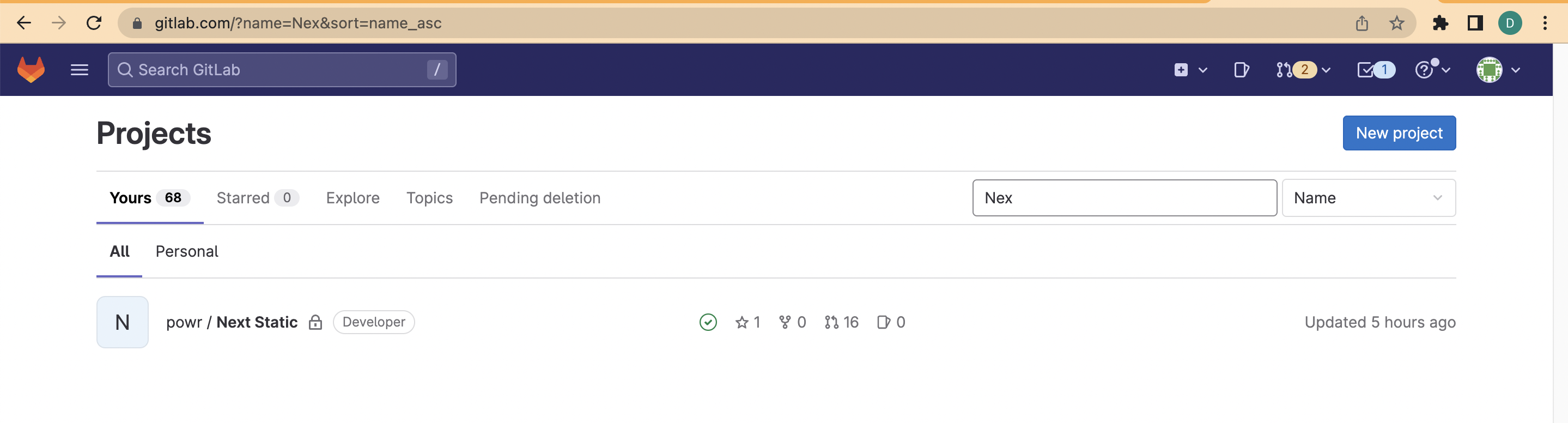
On Gitlab’s repositories page you can filter “Next Static” and find the Static project:
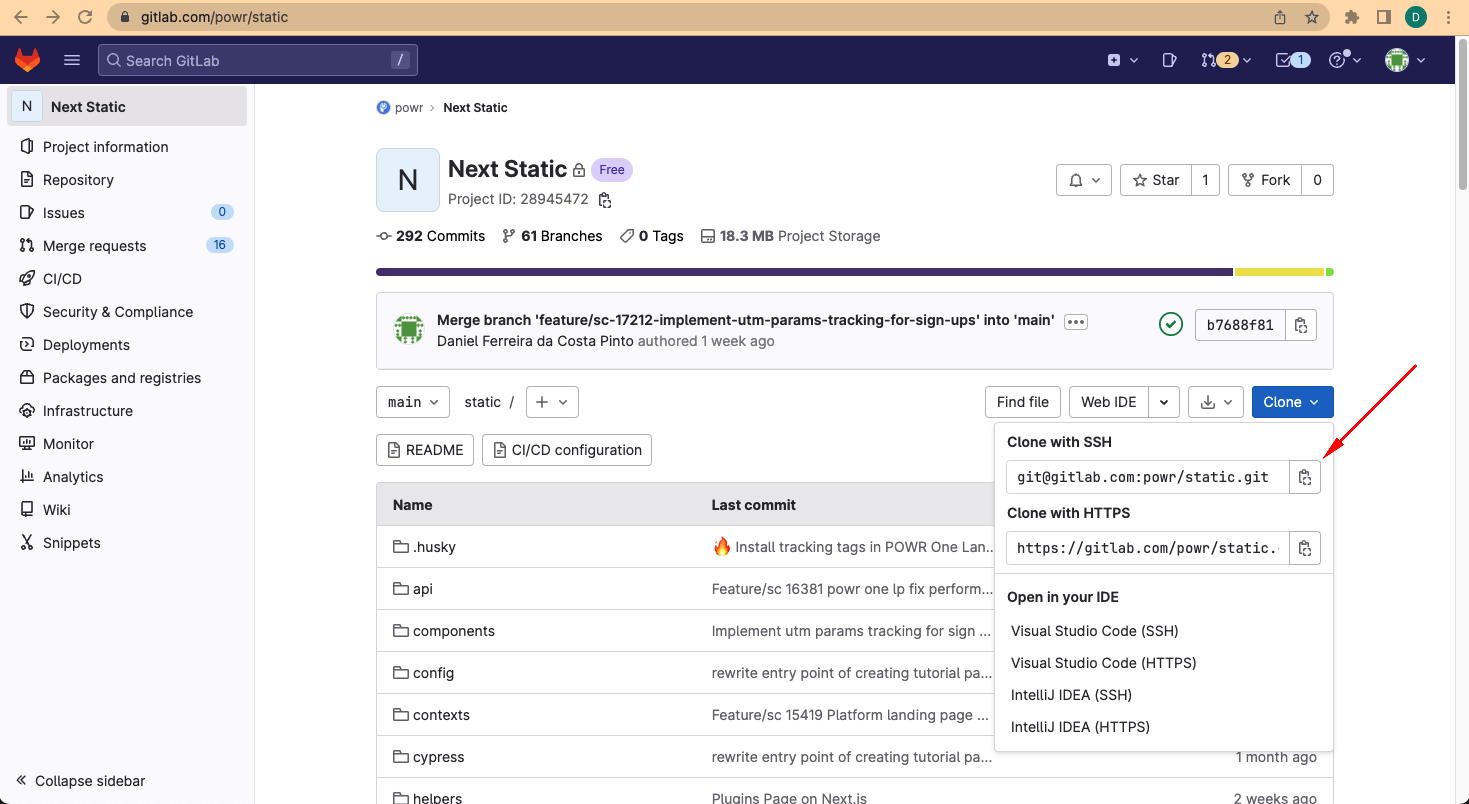
On Static repository you copy the Clone with SSH url:
On your terminal, make sure that you are on the correct path: ~/dev
And bash the git clone command:
$ git clone [email protected]:powr/static.git
You will be asked to enter your SSH password and then the download will start.
After downloading the repository you will be able to edit the files and update the remote repository.
More information:
- Please, make sure to read the README.md before starting coding.
- We are currently working with NODE 14.19.0
- You will need to download the simple copies, as explained on README, with the bash command:
npm run download_all - The project is on Nextjs Framework, take preference with its components, for example, use next/image instead of the img tag from html. https://nextjs.org/docs/getting-started
- Also have a preference for using tailwindCSS to style your components. https://tailwindcss.com/docs