How to create an A/B test on POWR?
First of all, let's recap what an A/B test is:
AB testing is done when we want to compare the performance of two scenarios or more in achieving a due objective, and it is always necessary to have an objective, as well as having metrics and ways to measure the result. After finishing the proposed period for the test, the results are analyzed and the winning scenario is implemented for the other groups.
Create the test:
To implement an A/B test in the POWR project we start by creating a method with the new test in the app/controllers/concerns/ab/initializers.rb file, as in the example below:
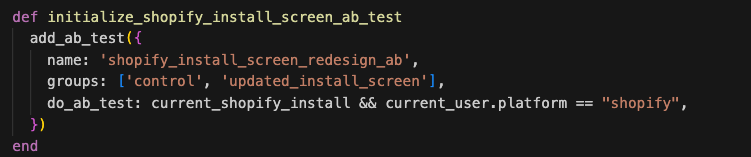
Method: The method name must start with the wordinitializeto follow the pattern.name: The name of the test should be self explanatory for its purposegroups: in groups you will always have the control group and at least one other group where you will implement new features. When we only have 2 groups, the users will be split 50% for one and 50% for the other, if we want to change the percentage so that there are more users in the control group, we can do for example:[control, control, new_feature_group]and then only 33% will be allocated to the new features.do_ab_test: Here we determine when the test will be applied, in the example above we are determining that the test will only occur for Shopify users with an active session. If we want the test to be global for all users, we can passdo_ab_test: true.
Initialize the test:
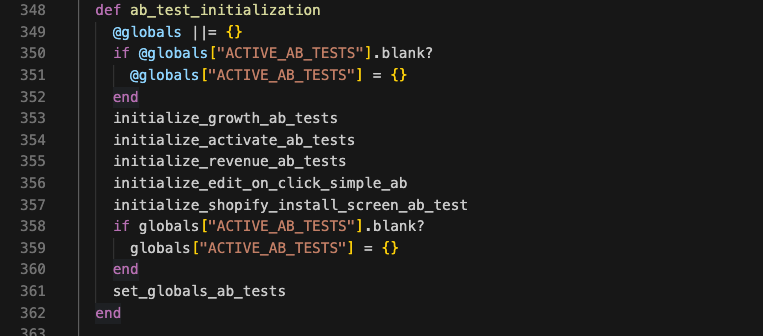
Then to initialize the test we need to include it in the ab_test_initialization method in the app/controllers/concerns/ab/base.rb:348 file, as done below:
Check if the test is running:
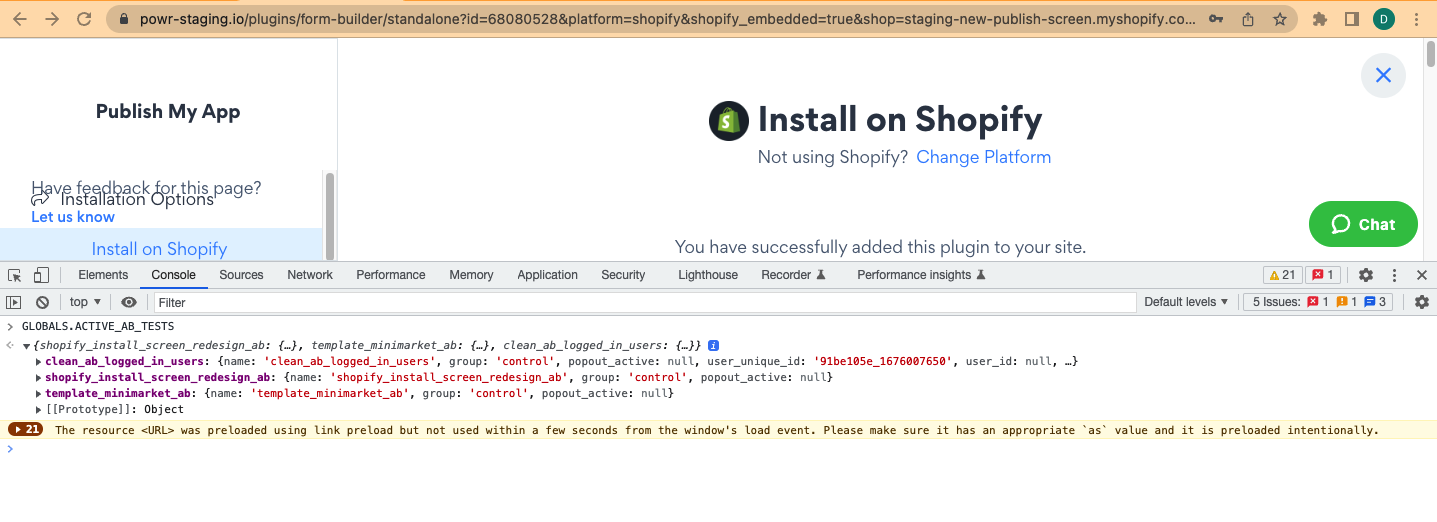
Now we have our test running and it can be checked in the browser console by typing: GLOBALS.ACTIVE_AB_TESTS, as done below:
Switch between groups:
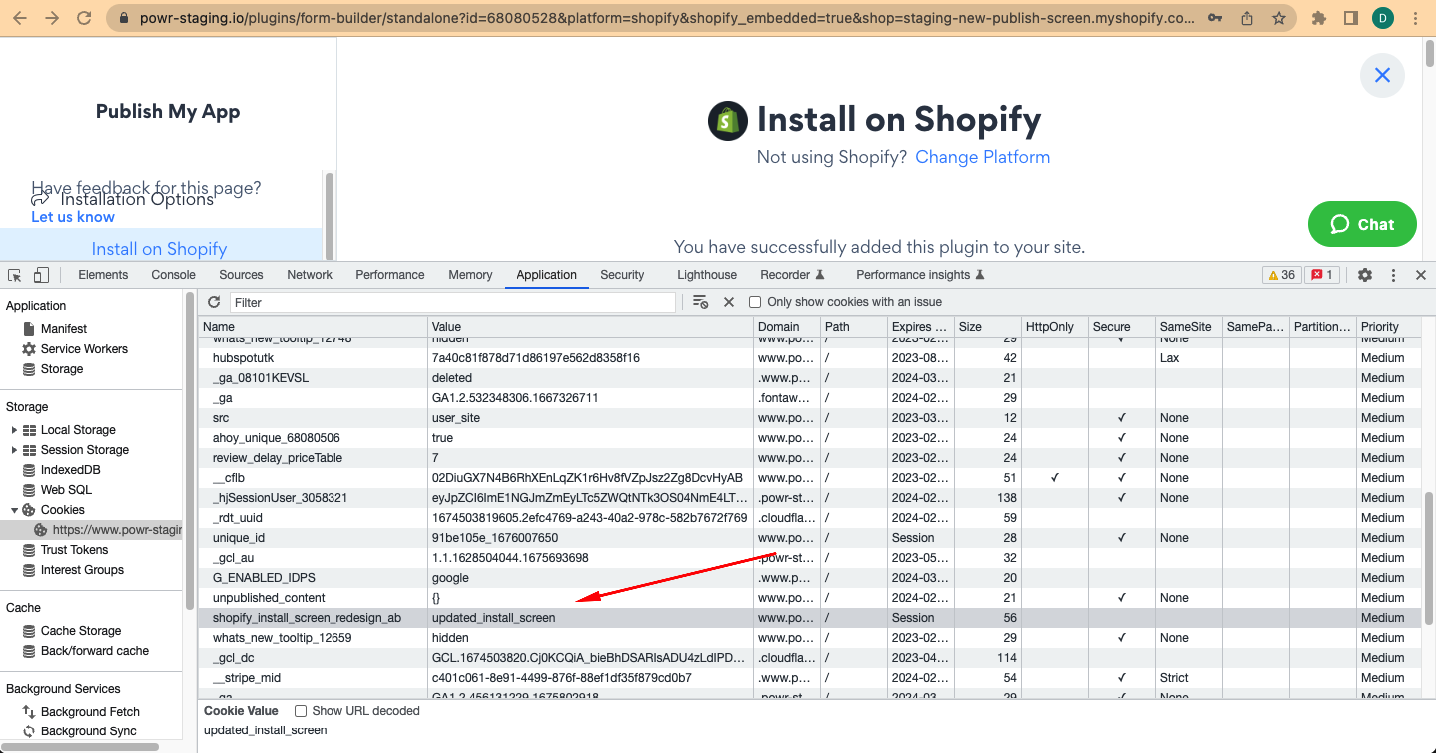
To change the group we have been assigned we can easily do so by creating a cookie in the application tab of the browser, as done below, in which we switch from the control group to the group with the new features:
Frontend:
To determine in the frontend what will be delivered to each of the groups, we can do this through the isInABTest helper found in the app/javascript/modules/powr_helpers.js:137 file, this method returns a boolean according to the group passed as parameter to the function, as in the example below:

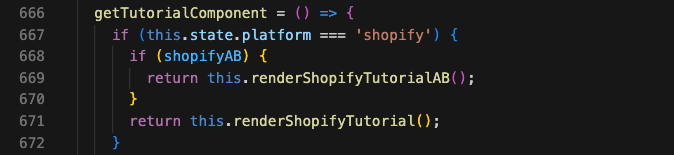
And with this we can create conditionals to render one component or another, as done below:
Measuring results:
To measure the result of our test we set true in our isInABTest helper method, so this can trigger the markUserExposedToAb helper method that allows us to compute exposures when the user arrives on the screen that contains the test AB, we only want to include users that indeed saw the changes we are observing.
When user is marked as exposed the ab_logs table is updated with the field num_exposed incremented.
To check on console: AbLog.where(name: "shopify_install_screen_redesign_ab")
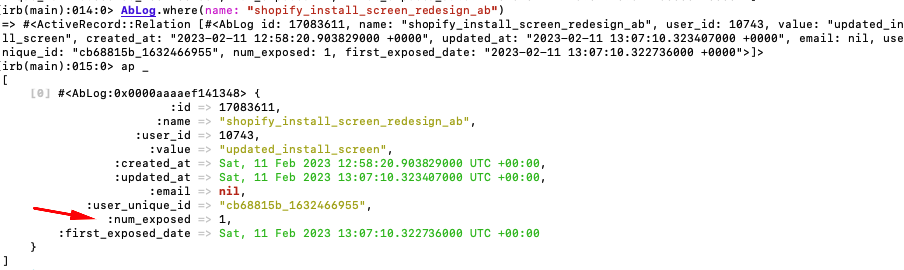
The num_exposed indicates that this user is indeed on test AB and your actions will be checked thru the reports on https://www.powr.io/admin/powr_ab.
As further reading, explaining more about the AB test, including the statistics behind the test, you can check the documentation made by Ivan Kho.