Performance Insights
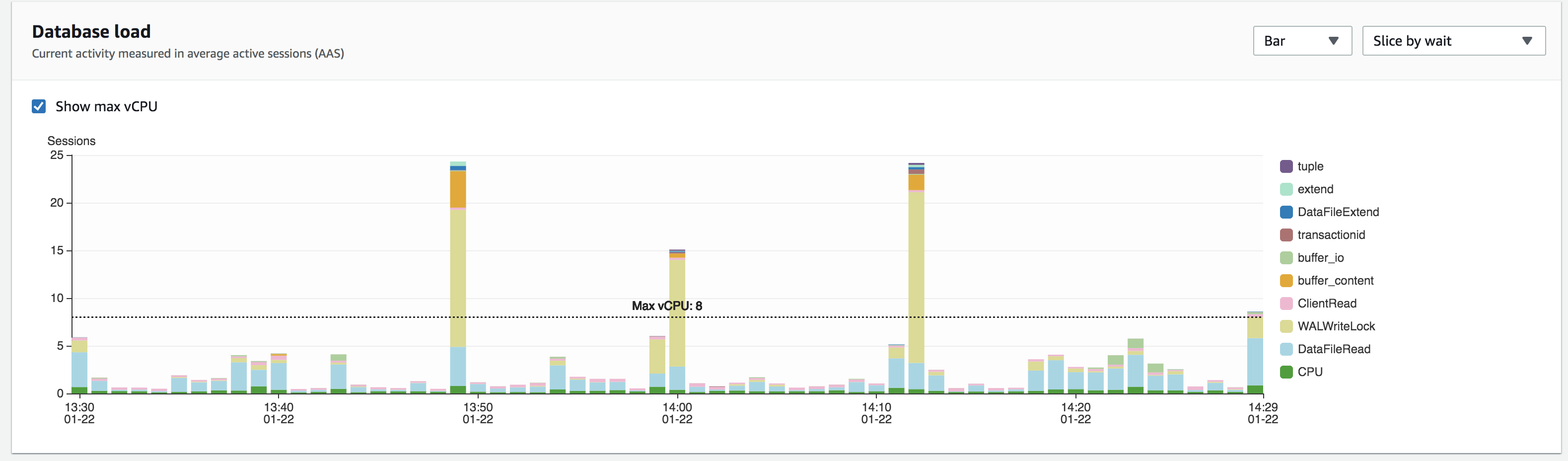
- If CPU ever goes above the dotted line, you should restart the DB
- If sessions ever go above 200, start checking the database for any long running transactions
Kill Long Running Processes in DB
Check for any processes that have been running for a while:
SELECT NOW()-xact_start AS runtime, pid, application_name, wait_event_type, wait_event, query FROM pg_stat_activity WHERE state = 'active' and xact_start IS NOT NULL ORDER BY runtime DESC;
Kill the process:
SELECT pg_cancel_backend(<pid>);
Check if the process is cancelled:
SELECT * FROM pg_stat_activity WHERE pid = <pid>;
Force kill the process if it still exists
SELECT pg_terminate_backend(<pid>);
Restart Database
If nothing else works and DB still not good, reboot from RDS:
- Log into amazon console using
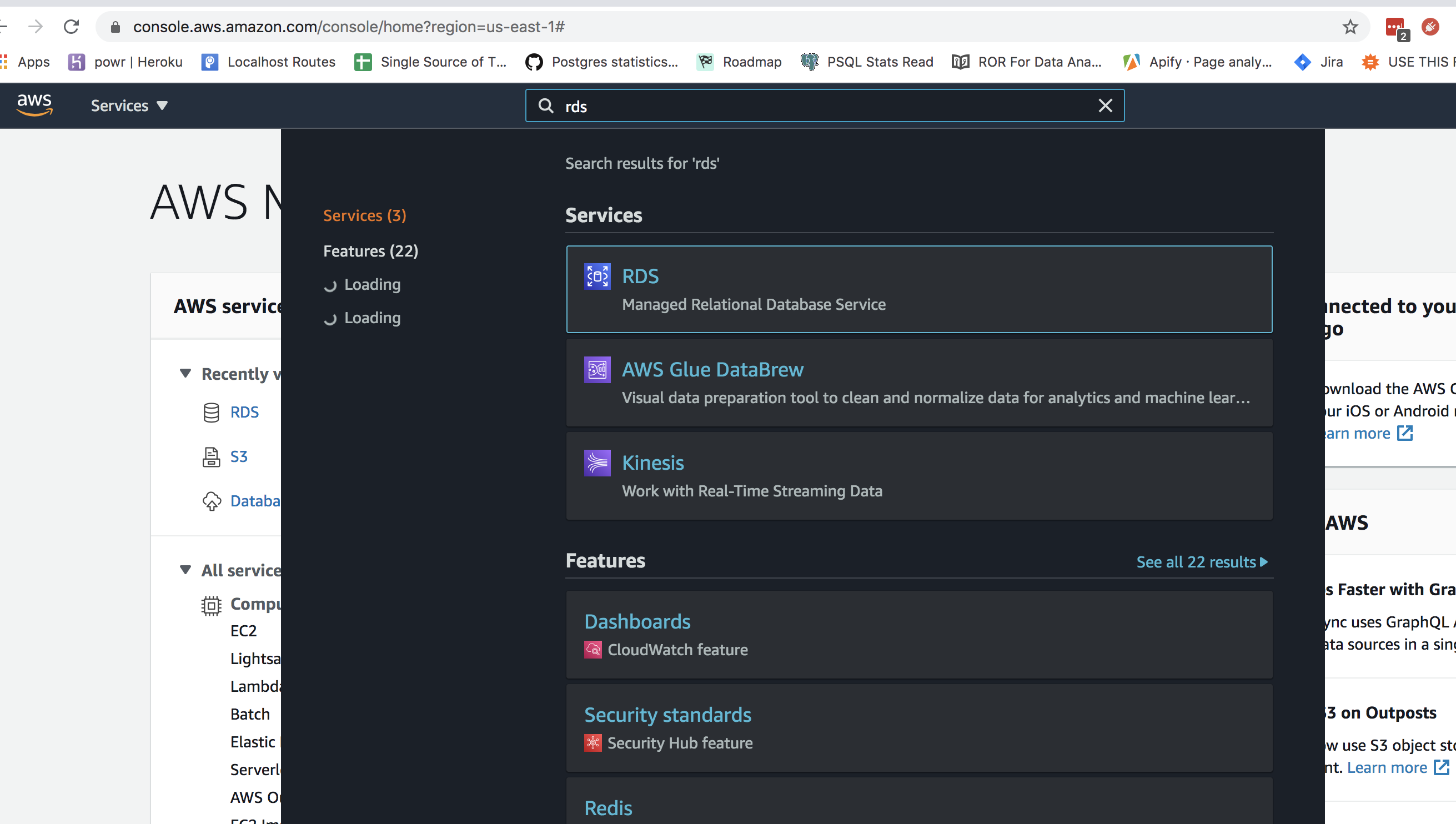
[email protected] - Search for RDS
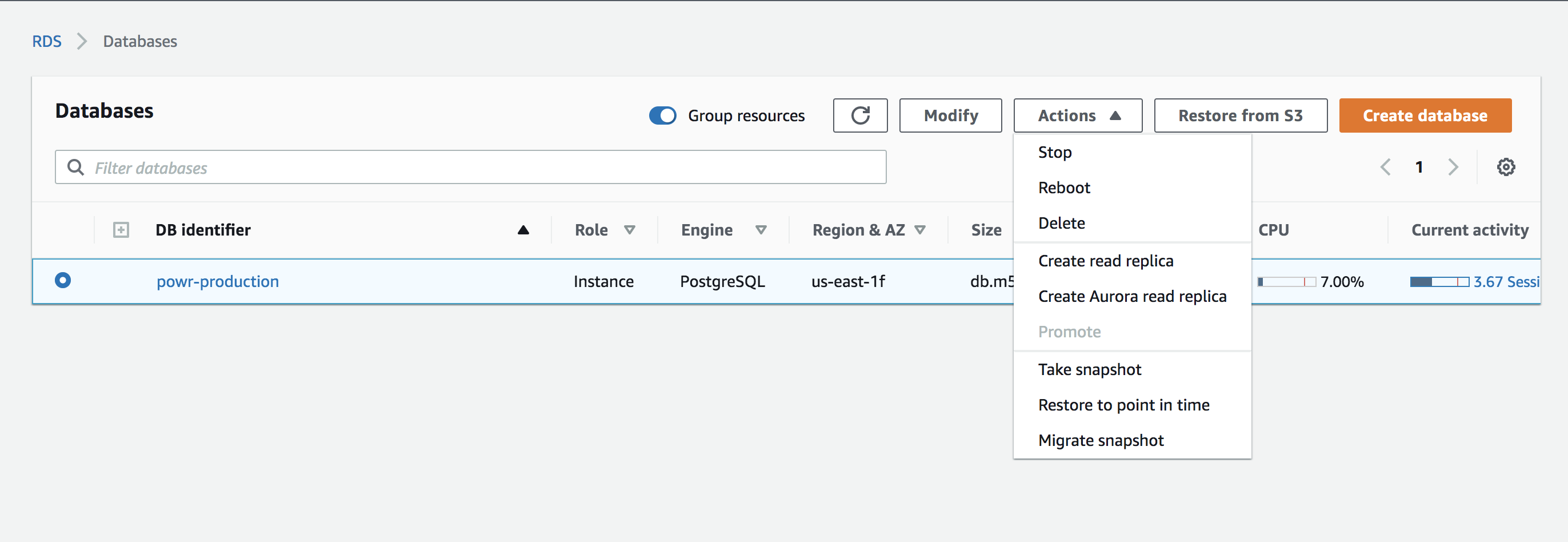
- Select production DB and select reboot
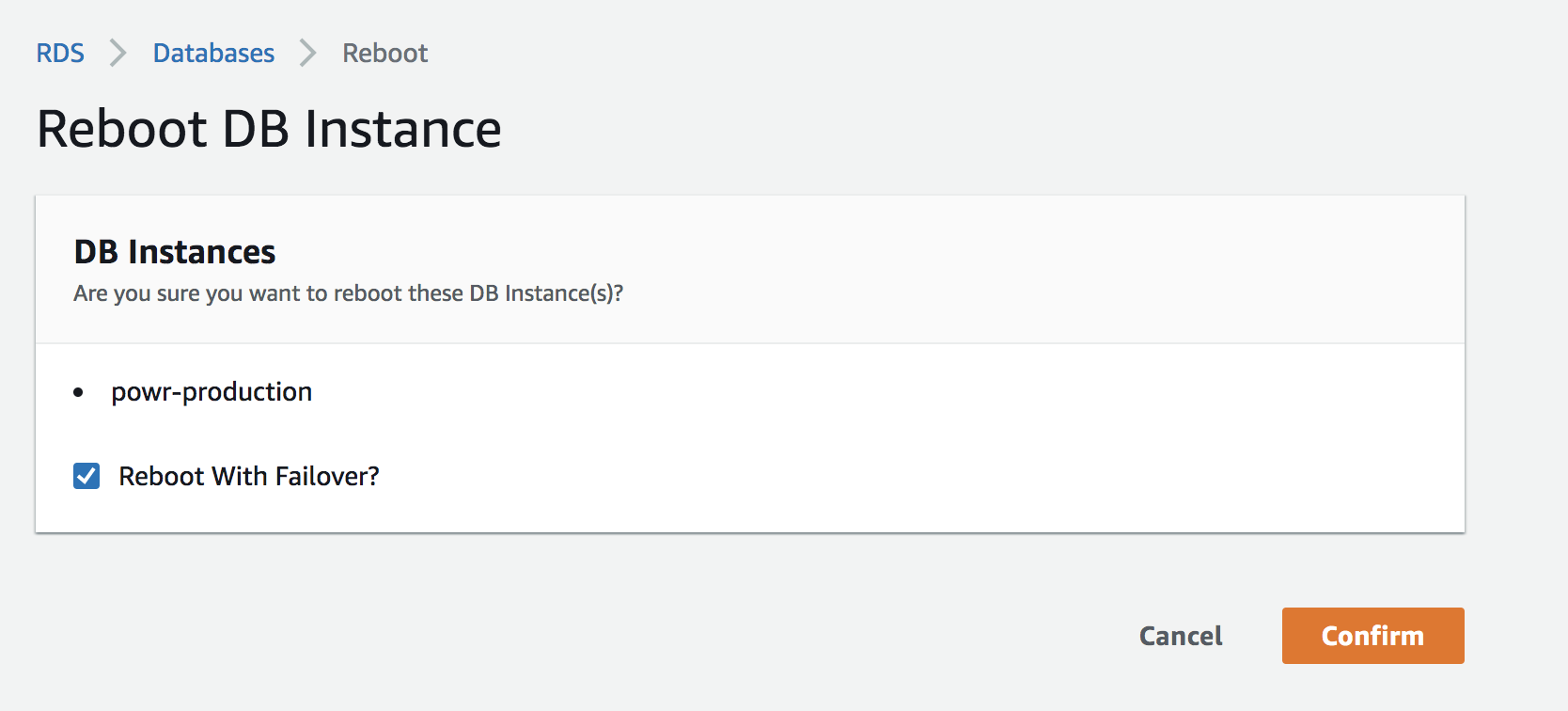
- Select reboot with failover and Confirm
Tips
- You can get the database_url from Heroku
- Check sidekiq if you see multiple of the same queries constantly being called; you may need to kill the sidekiq processes
- Check #sqlmonitor for transactions > 30 minutes
#TAGS restart database, restart db, reboot database, reboot db, RDS, amazon, performance insights, pg:kill, heroku pg:ps alternative, rds