SHOPIFY DOWNGRADE PRICING PLAN
BEFORE
- You can downgrade the pricing plan if you already have a “Business” or “Pro” subscription.
- Detailed instructions for logging in and testing Shopify apps.
SHOPIFY DOWNGRADE PRICING PLAN
- Go to the Account page → select the “Subscription” tab → in the Subscription history, click the “Change” button → select “I want to switch plans”
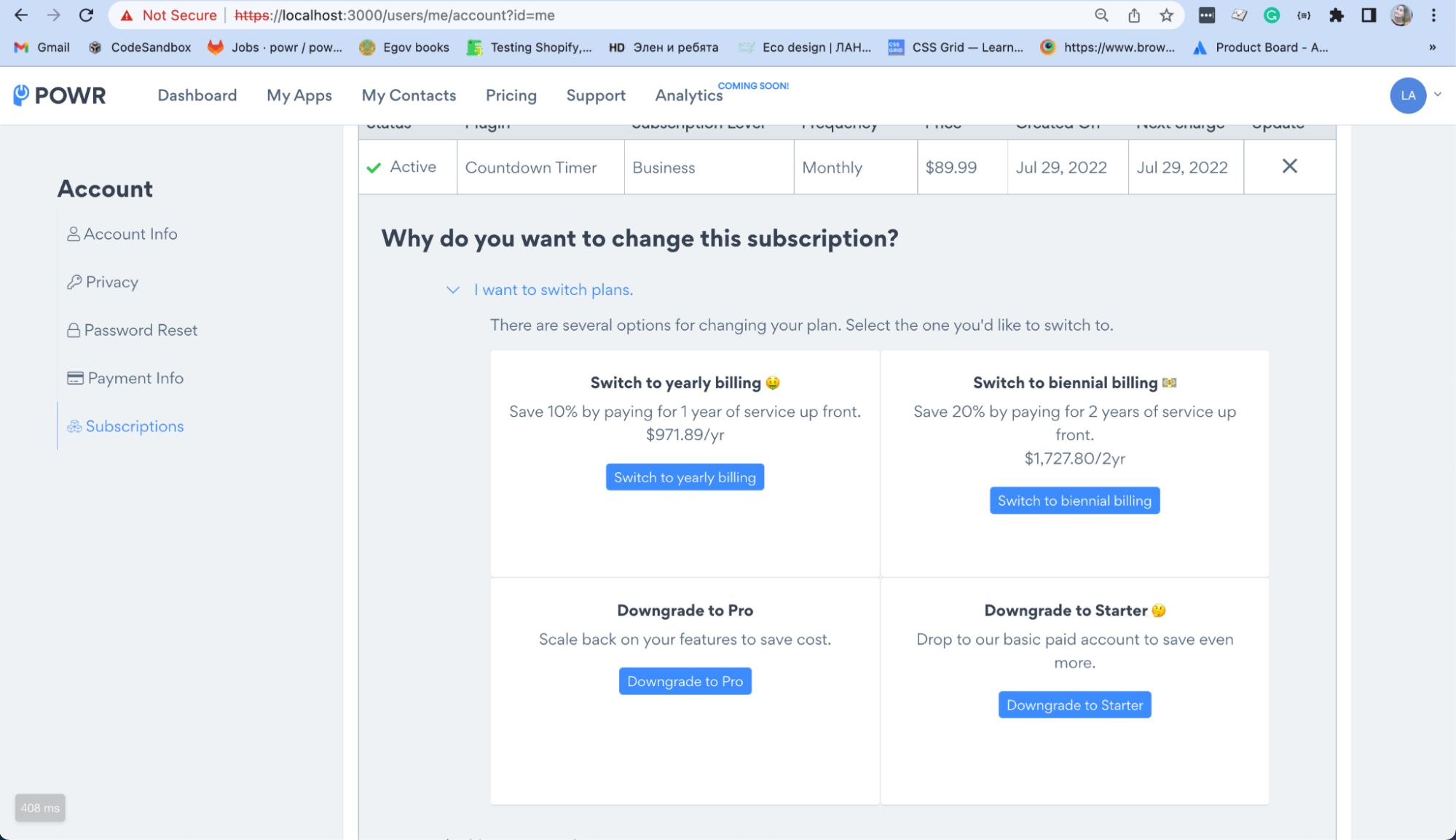
- Click “Downgrade to Pro” (or “Downgrade to Starter”) and in the modal window that opens, click “Change subscription”. It will redirect you to Shopify (with new params)*.
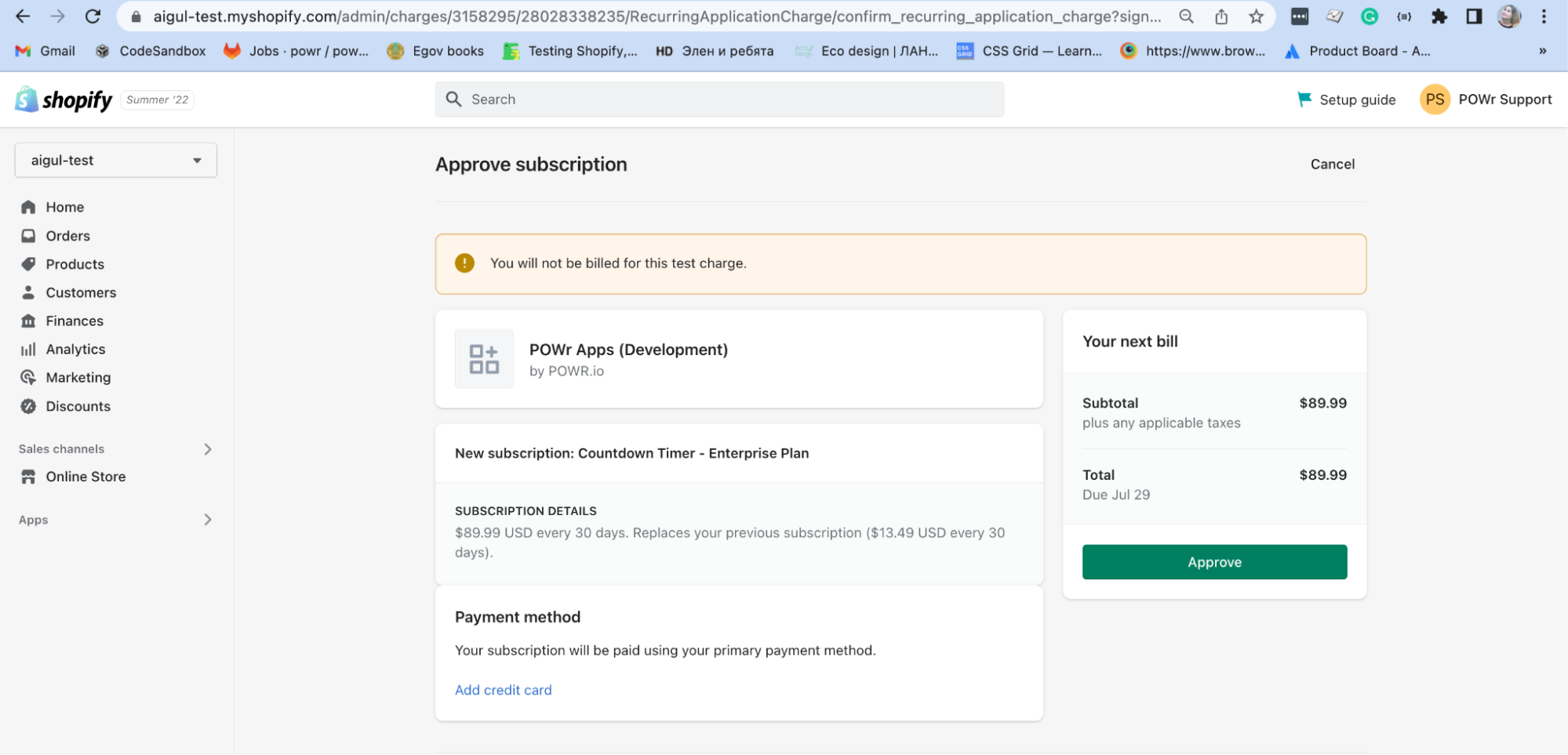
- After clicking the “Approve” button, you will be redirected back to powr.io with a downgraded plan.
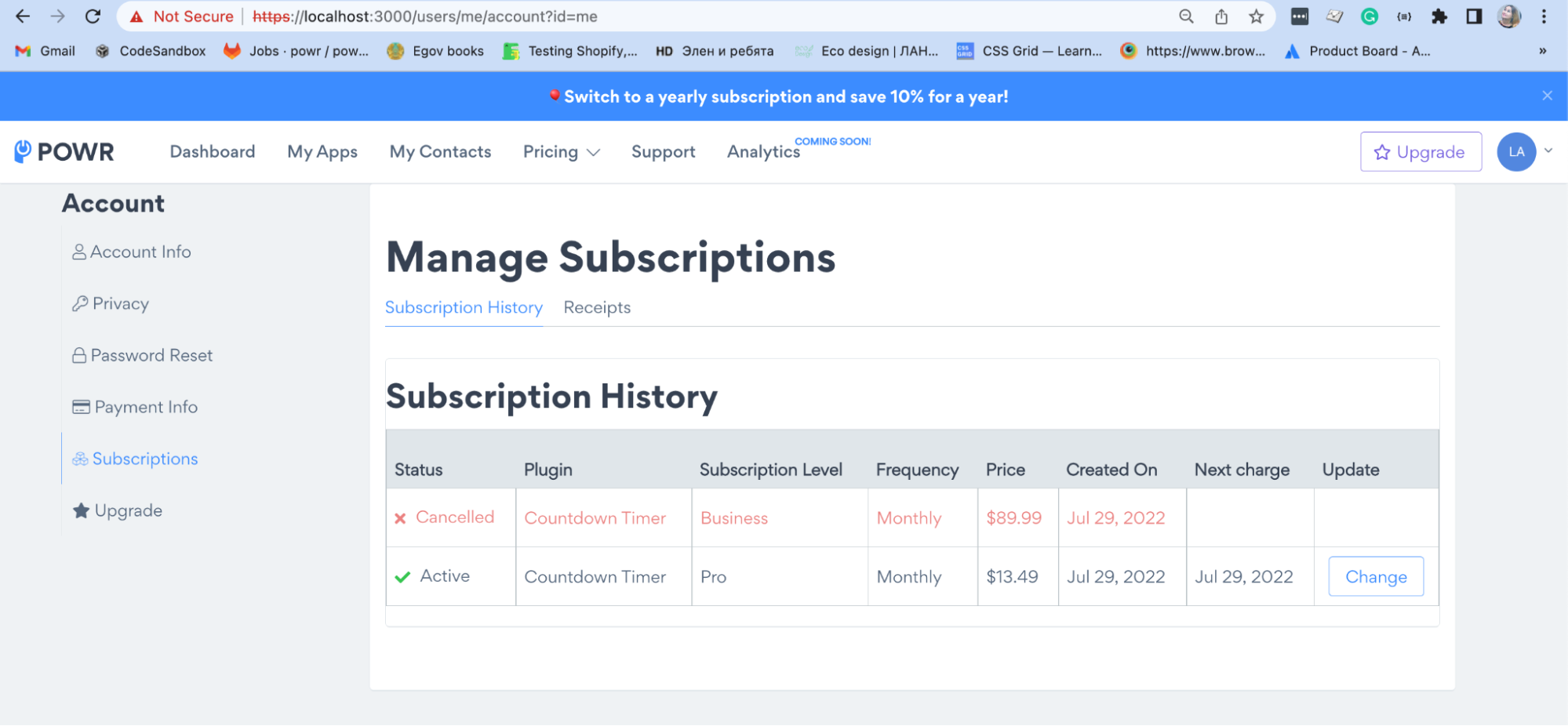
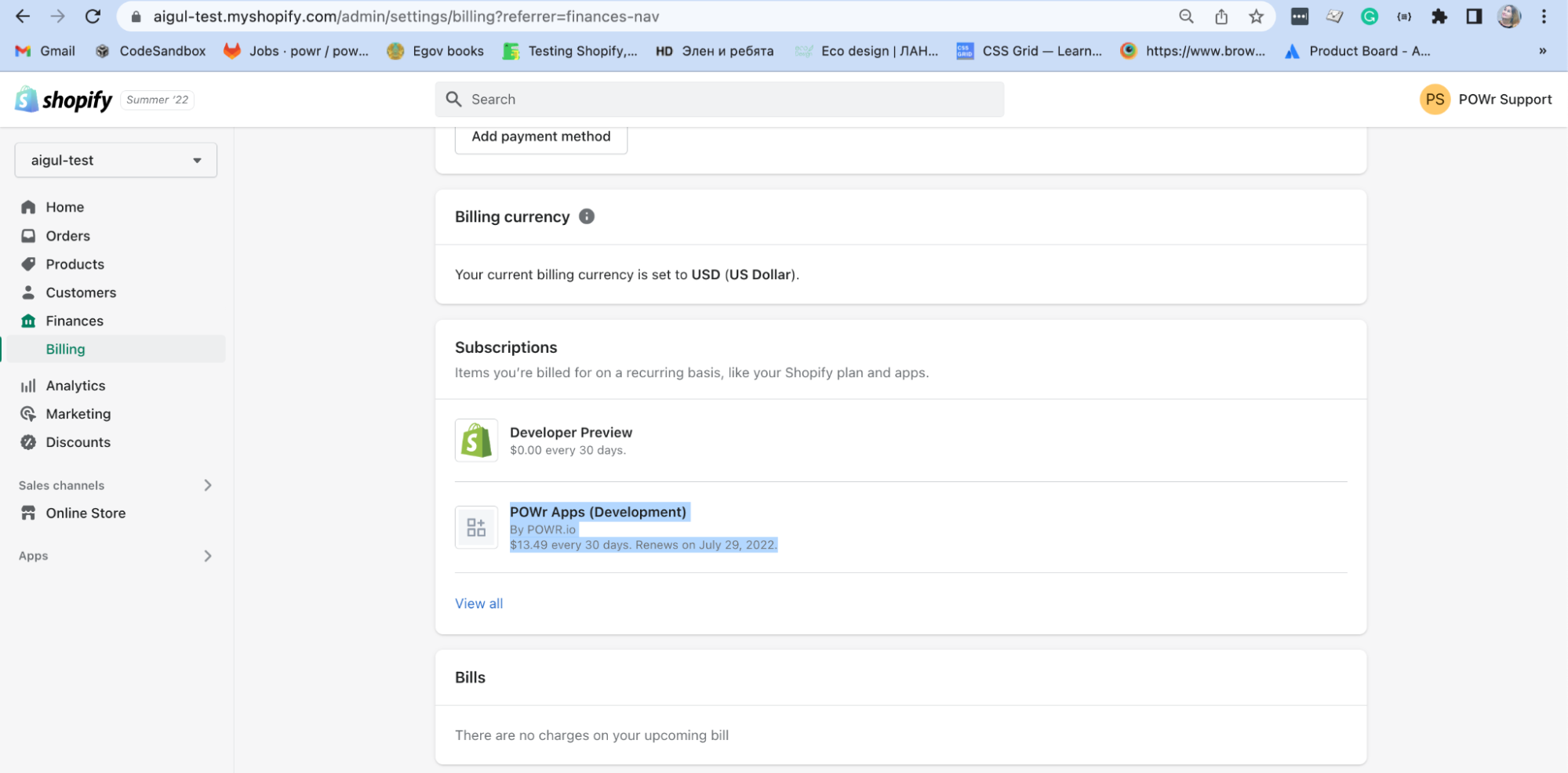
* NOTE:
- Create:
When the user clicks the “Downgrade” button, we make a PUT/PATCH to /shopify/subscription/:id (def update in shopify/subscription_controller.rb). In this method, we call the Shopify::UpgradeInteractor, which uses Shopify API’s Graphql create endpoint to update the subscription.
Shopify API graphql create: https://shopify.dev/api/admin-graphql/2022-04/mutations/appSubscriptionCreate
- Cancellation:
To cancel subscription, we make a DELETE to /shopify/subscription/1.json (def destroy in controllers/pro_subacriptions_controller.rb). In this method we call Shopify::CancelInteractor, which uses Shopify API’s Graphql cancel endpoint to delete the subscription.
Shopify API graphql cancel: https://shopify.dev/api/admin-graphql/2022-04/mutations/appSubscriptionCancel