How to use jotable
This is a tutorial on how to use Jotable.io for notes and documentations.
Getting started
- Go to Signup page
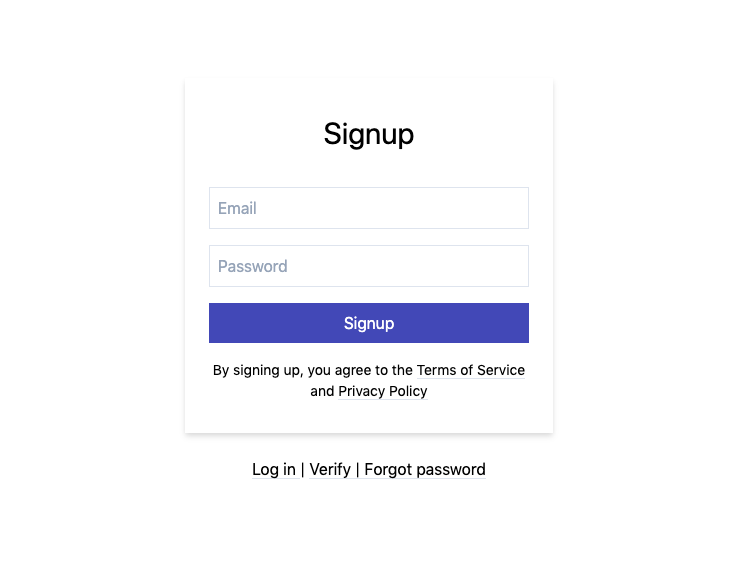
- Type in your
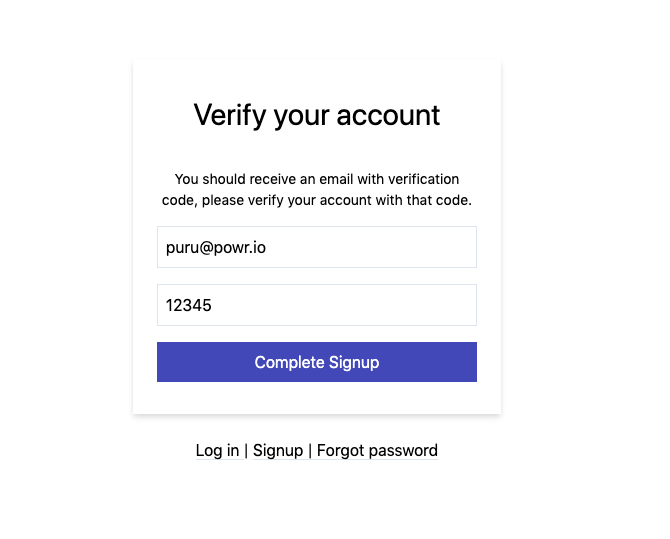
@powr.ioemail address - You will receive an email with verification code
- Copy paste your verification code and click on Complete Signup
- Type in your First and Last name and continue.
- You will see bunch of folders and articles you have access to.
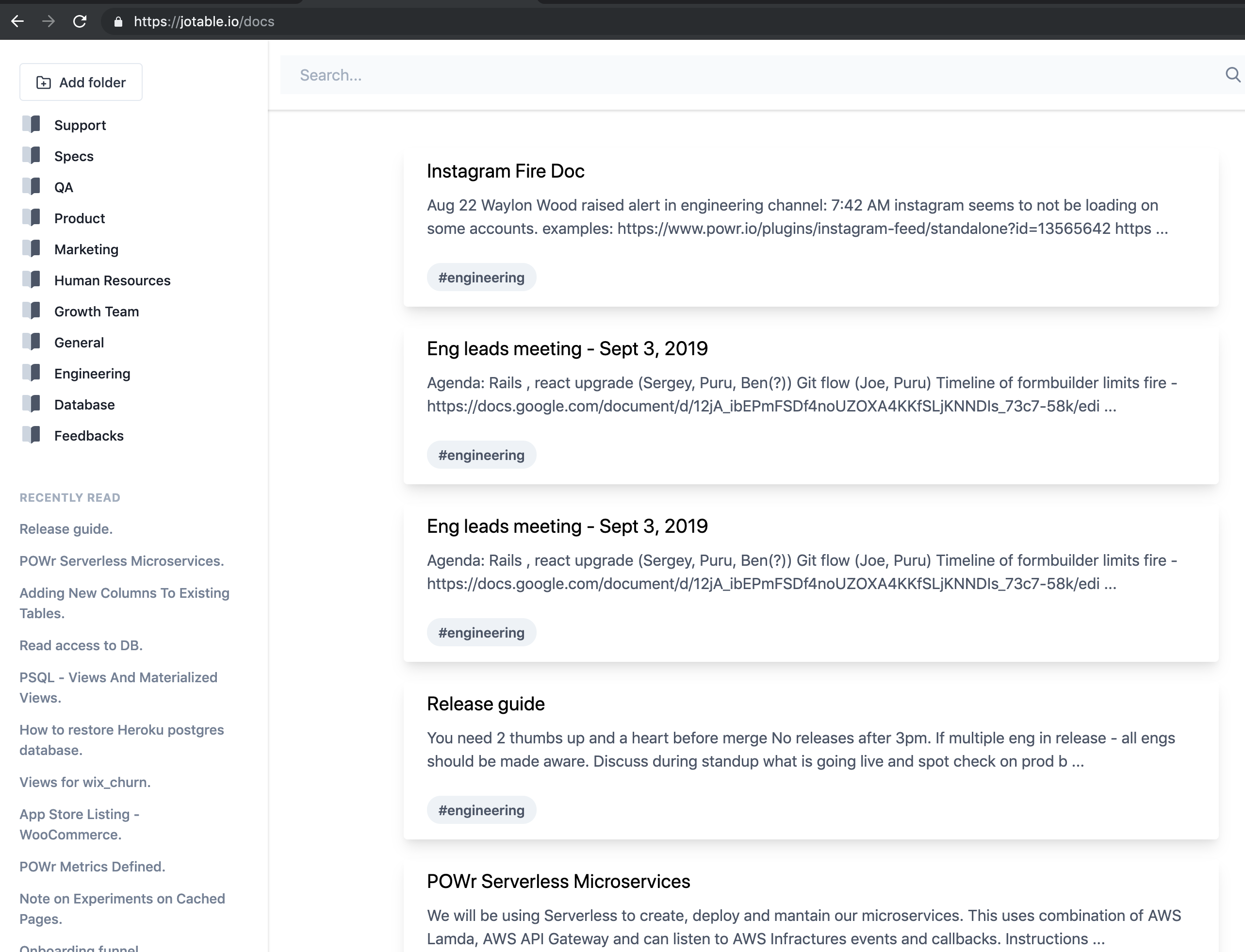
Writing notes / documentations
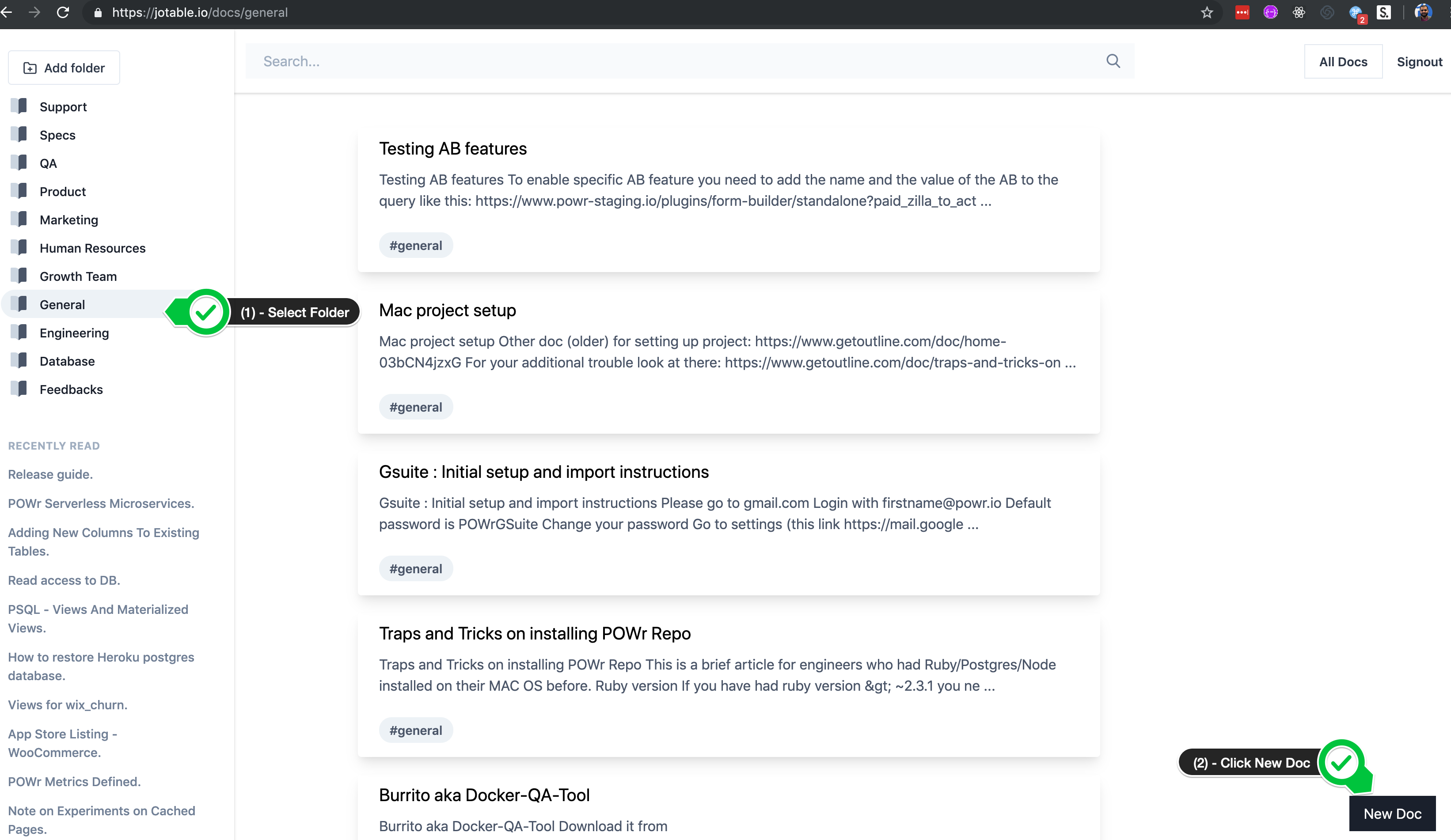
- Select the folder (on left hand sidebar).
- Click on New Doc (right hand bottom of the page)
- This supports Markdown, so please familiarize yourself with some basic syntax on how to use it.
https://guides.github.com/features/mastering-markdown/
Link: https://guides.github.com/features/mastering-markdown/
Uploading Images
- This editor supports drag and drop image uploads. You can select multiple images at the same time.
Here is a short video on how its done:-
https://www.loom.com/share/3d472c4655ff4917893706b3849d2357
How to embed videos and slides
- All you have to do is copy/paste a public link to loom, youtube, vimeo, flicker, google slides etc, it will automatically embed it for you.